Every user.
Every site.
Mapped and monitored.
The AWE Initiative Targets module is the platform's registry of everything you protect — the people you serve, the communities they belong to, and the fixed and mobile sites you monitor. It's where identity, geography, and access control all come together.
Targets at a glance
Four registries — Users, Communities, Fixed Targets, and Mobile Targets — that together define who and what the platform is protecting.
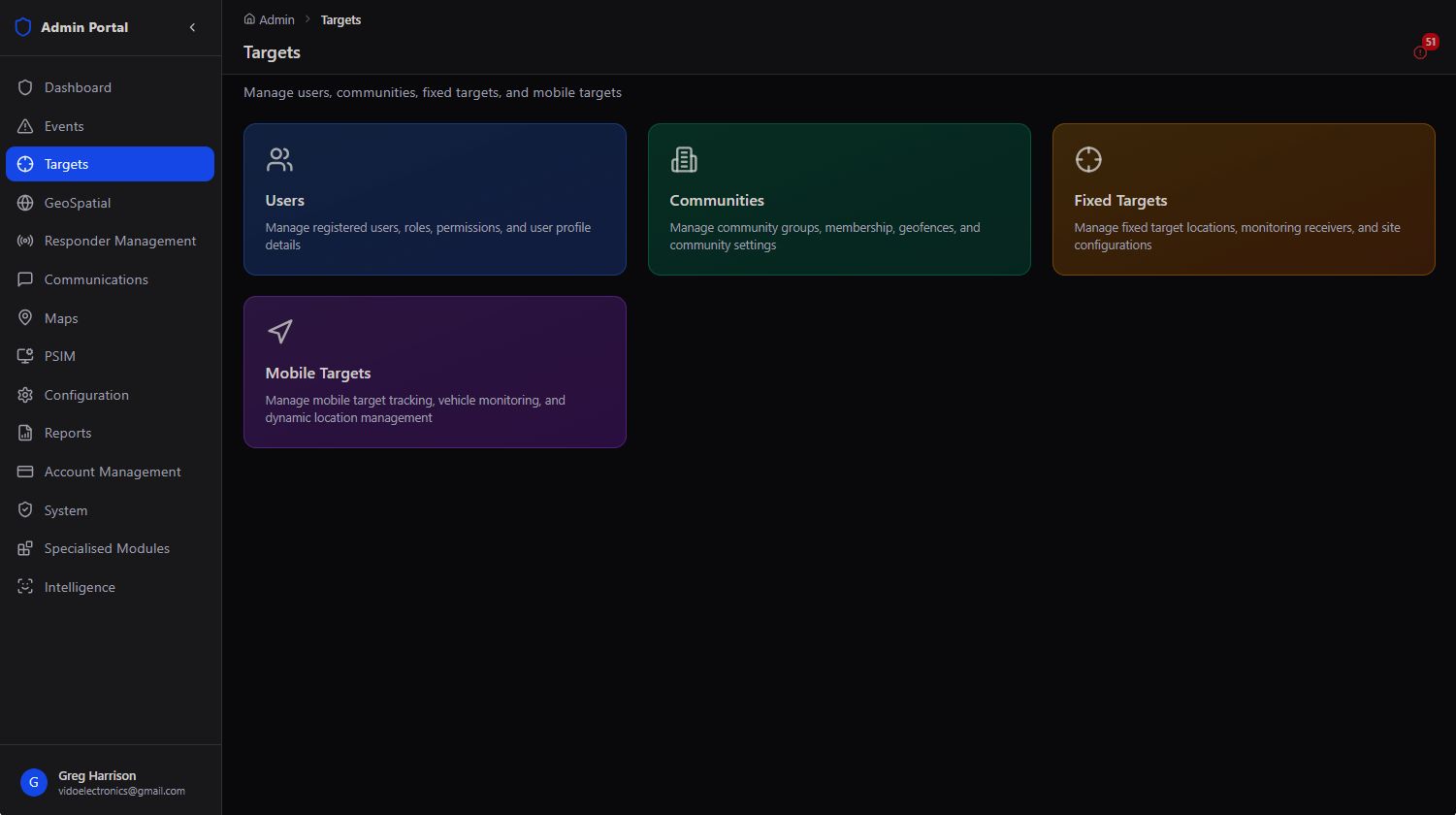
Where Responder Management answers "who is deployed," Targets answers the other half of the equation: who are we serving, and what are we watching over? Every registered user, every community they belong to, every fixed site under monitoring, and every mobile asset being tracked is managed from this single module.
The registry behind everything else. A responder can't be dispatched to an address that isn't registered, a community can't be patrolled if it has no geofence, and an alarm can't be traced to a contact if the site has no Fixed Target profile. Targets is the foundational data every other module builds on.
Users & Access
Every registered platform user, their role, their community, and a full authentication audit trail.
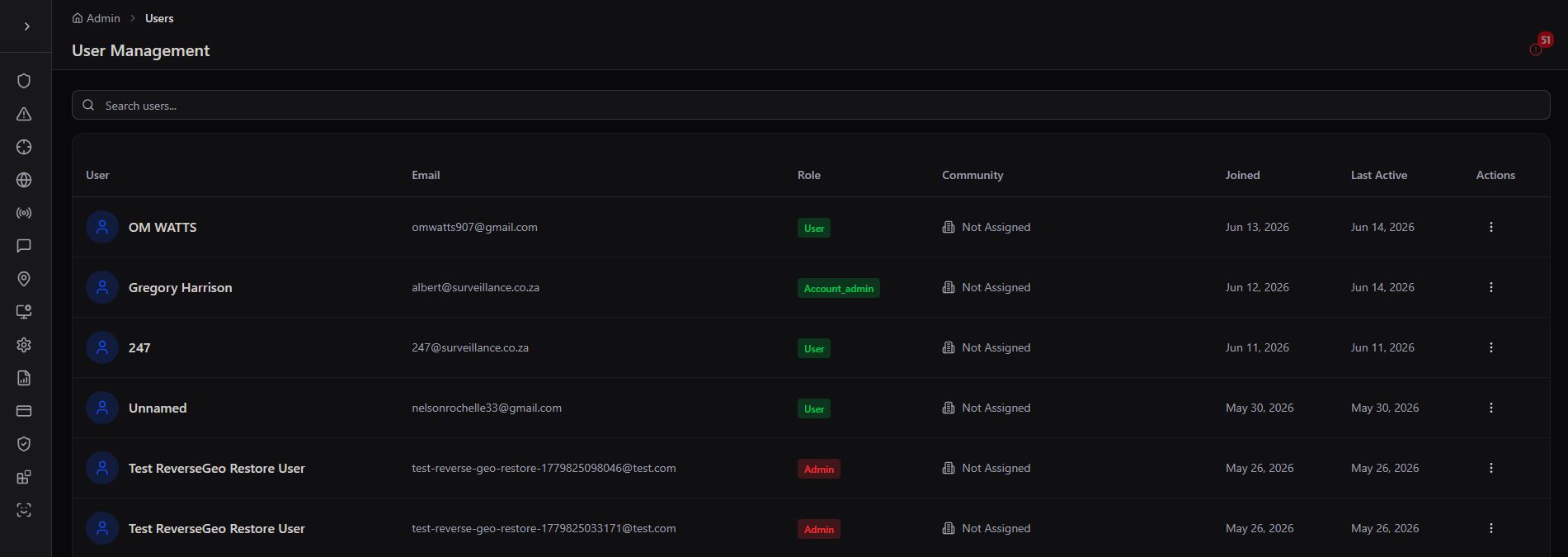
User Management is the master list of every person with an account on the platform — citizens, responders, and admins alike. From here you can search the full user base, see when each person registered and was last active, and change their role or community assignment without leaving the table.
Per-user actions
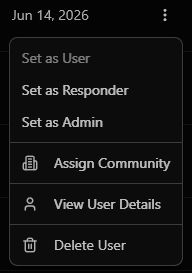
Clicking the actions menu on any user opens a quick-action list — reclassify their role, assign them to a community, review their full profile, or remove them from the platform.
OTP Authentication Audit Log
Beneath the user table, the platform keeps a running security log of every one-time-password authentication event — who requested it, from which email, what the outcome was, and the IP address it came from. This is your first stop for investigating a suspicious login or a locked-out account.
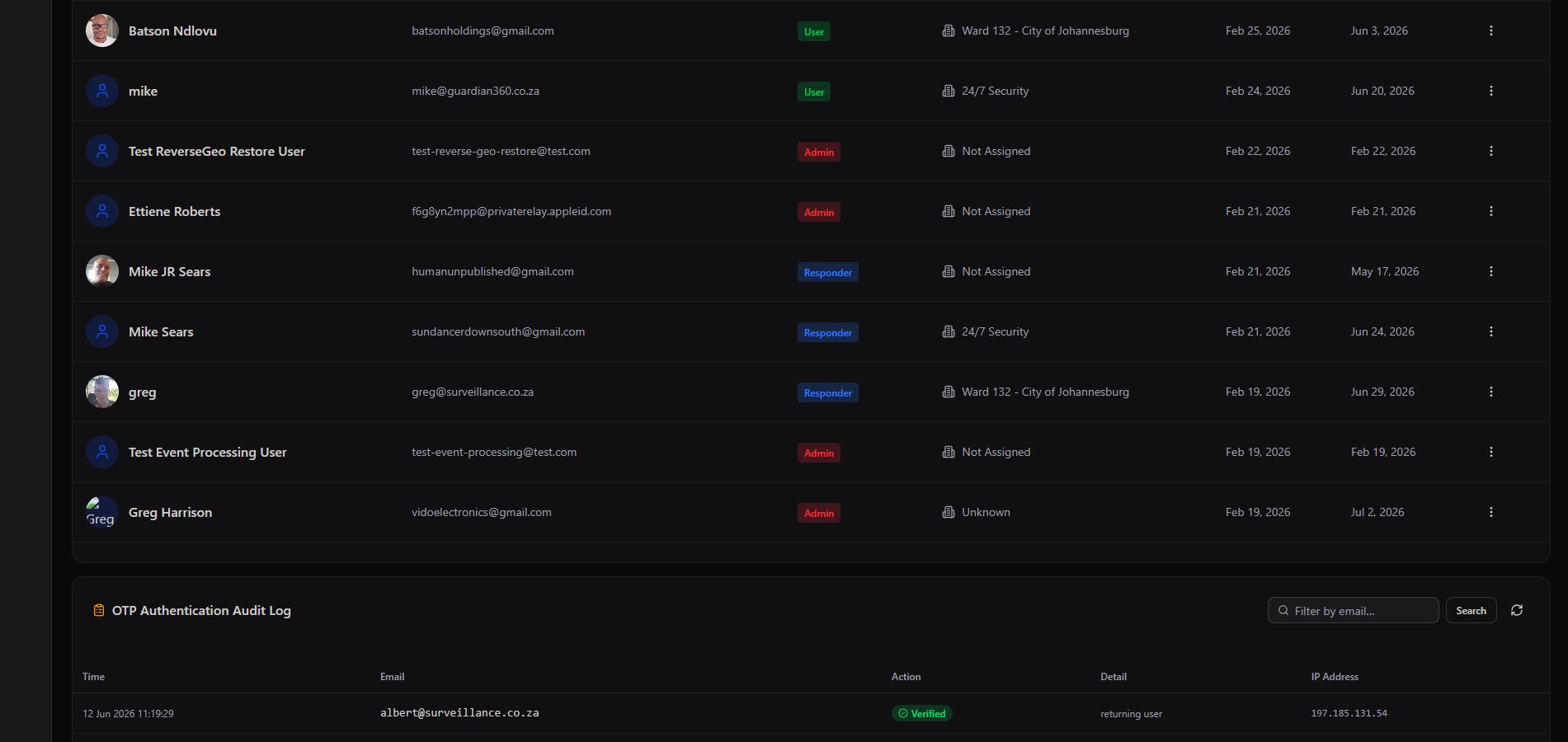
Security, not just a roster. Because the audit log sits directly beneath the user table, an admin investigating unusual account activity never has to jump to a separate security dashboard — identity and authentication history live side by side.
Communities
Define the geographic areas you serve, draw their boundaries, and track coverage at a glance.
A Community is any geographic area with shared membership — a suburb, a ward, a business park, a gated estate. Communities carry a geofence boundary, a population estimate, and a live status, and they're the backbone that Users, News & Updates, and event notifications all key off.
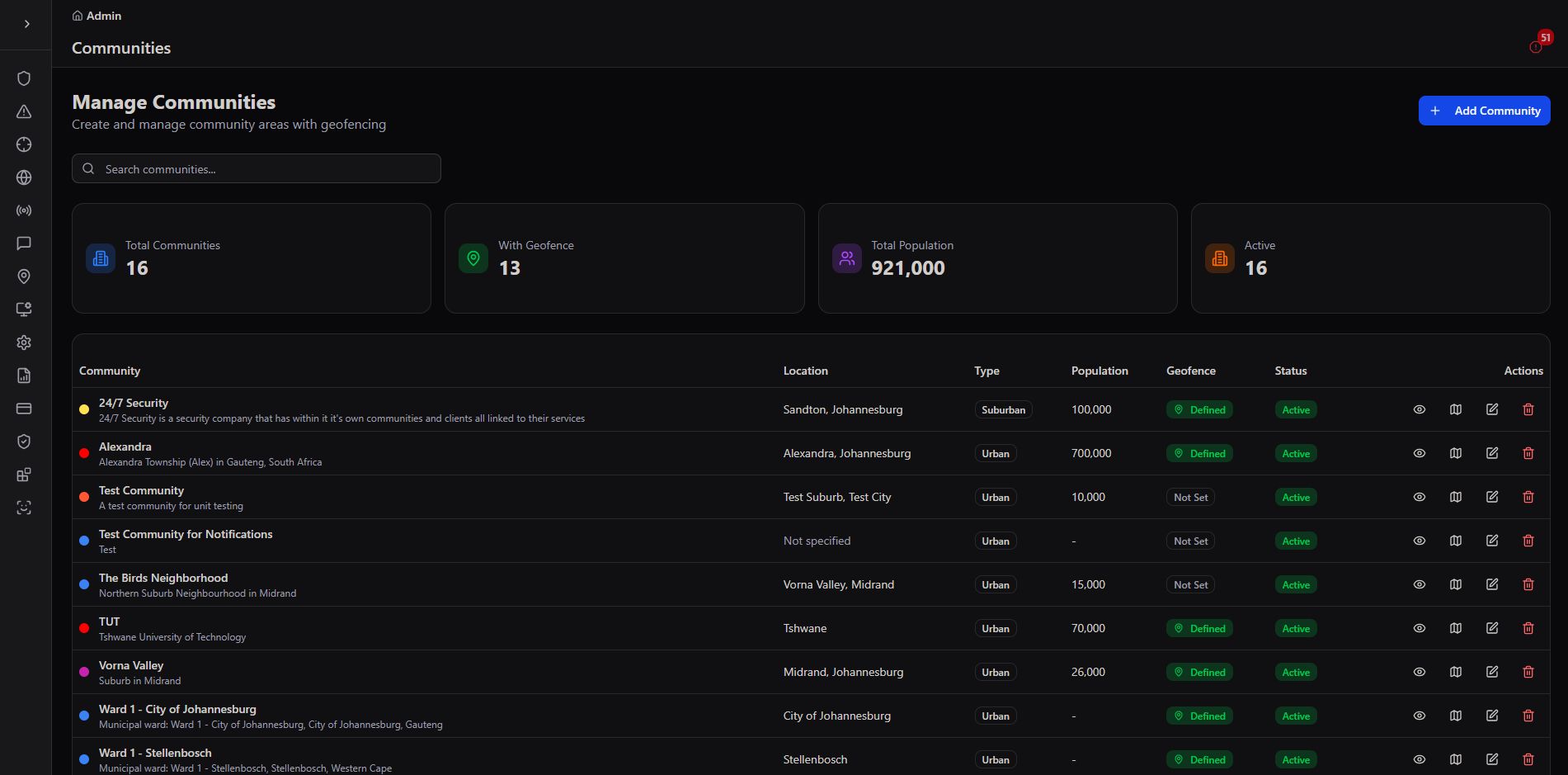
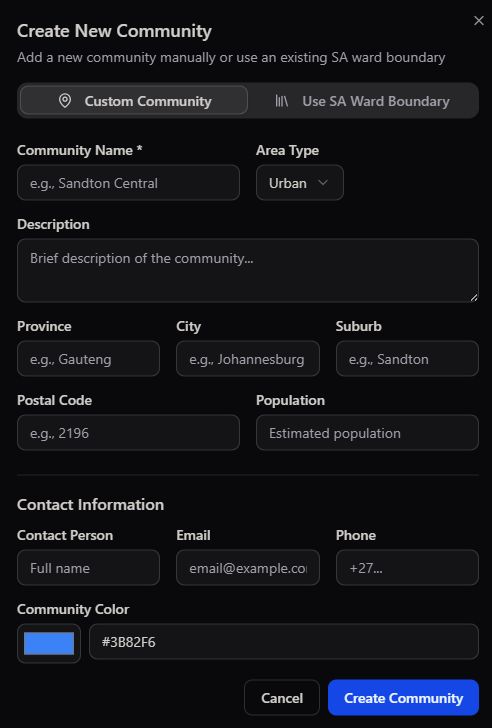
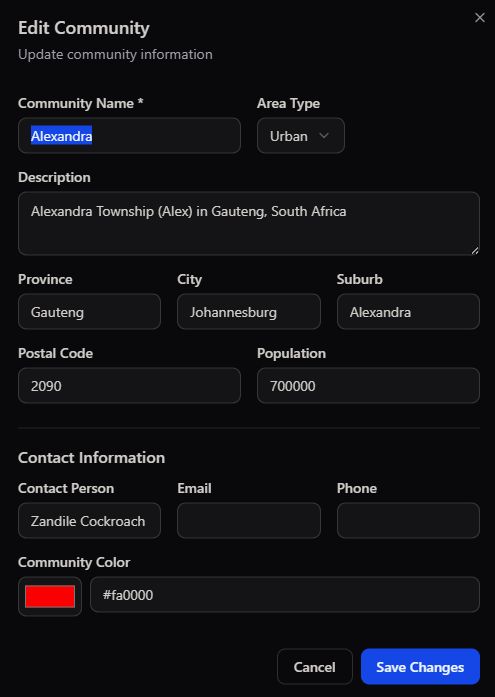
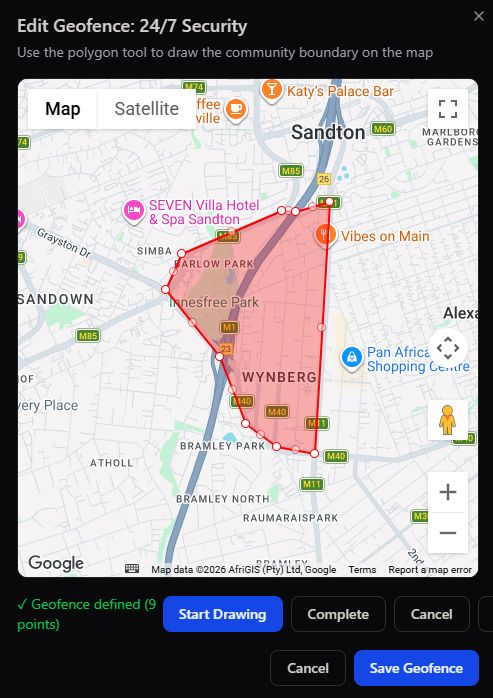
Boundaries drive everything downstream. Once a community's geofence is set, it automatically scopes which users see which News & Updates posts, which responders patrol which area, and which events are attributed to which community in reporting.
Fixed Targets
Register every business, home, or government building you monitor — with its own geofence, risk level, and contacts.
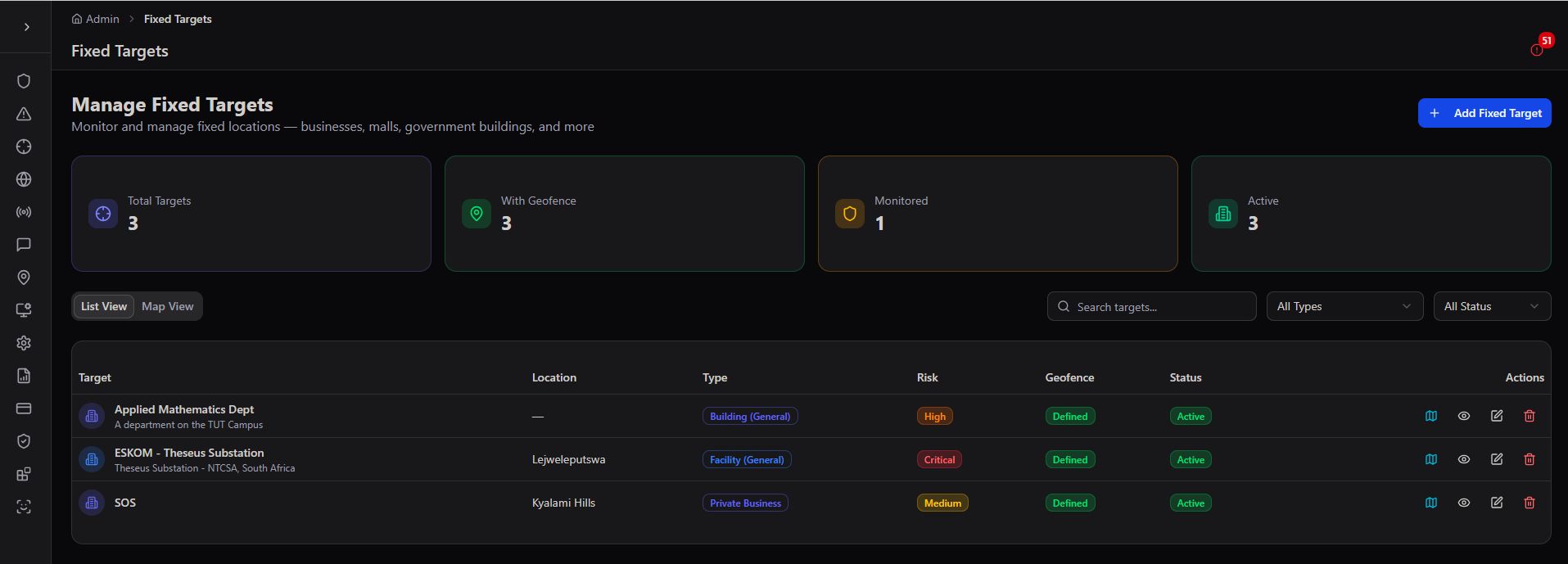
A Fixed Target is any stationary site under monitoring — a private residence, a retail premises, a government building, a substation. Each one carries its own risk rating, geofence, operating hours, and assigned users, so that the moment an alarm fires at that address, the operator already has full context.
Adding a Fixed Target
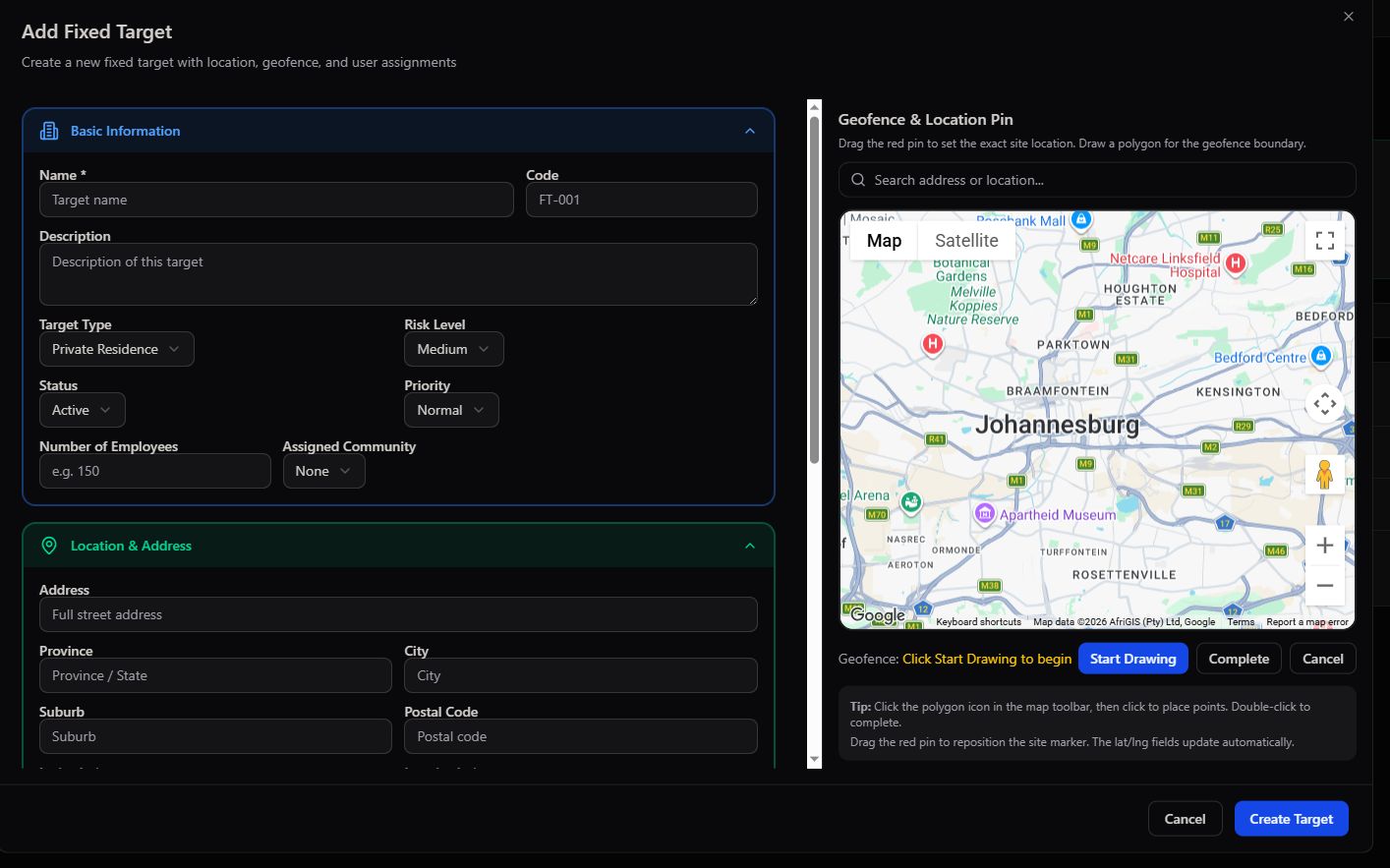
The Add Fixed Target form captures the essentials up front — name, code, description, target type, risk level, priority, and assigned community — alongside a live map where you drop the site pin and draw its geofence boundary directly.
Three active targets shown, endlessly extensible. The sample deployment above tracks an applied mathematics department, a finance substation, and an SOS-linked private residence — demonstrating that Fixed Targets spans corporate, industrial, and residential monitoring within a single view.
Site Maps & Floor Plans
From satellite view down to an individual room — every Fixed Target's physical layout, mapped and device-ready.
PSIM Site Maps takes a Fixed Target beyond a single address pin and turns it into a fully modelled site — buildings, floor plans, and even 3D interiors — with every connected device placed exactly where it physically sits. This is where an operator goes from "an alarm fired at this address" to "an alarm fired in this specific room."
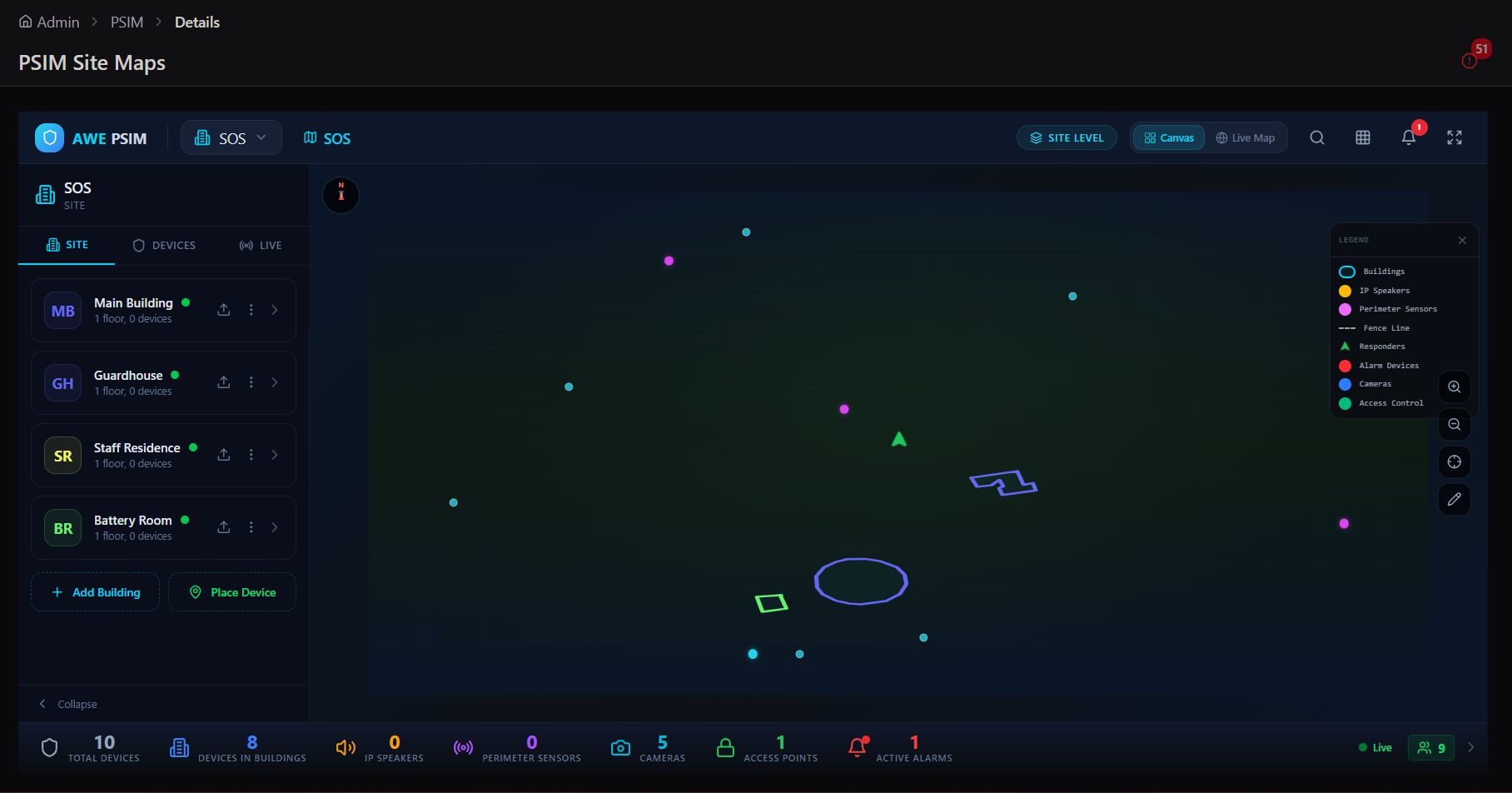
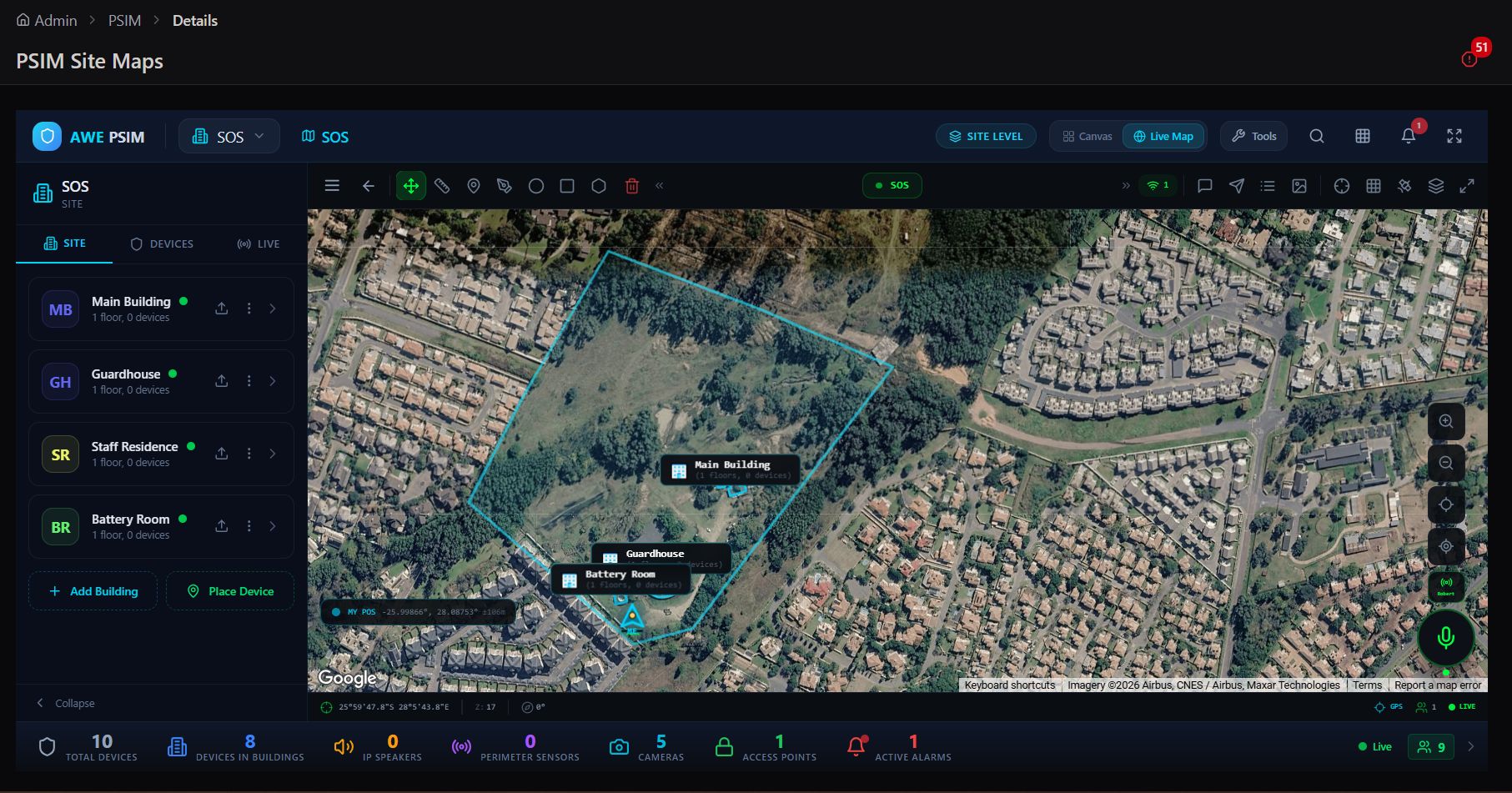
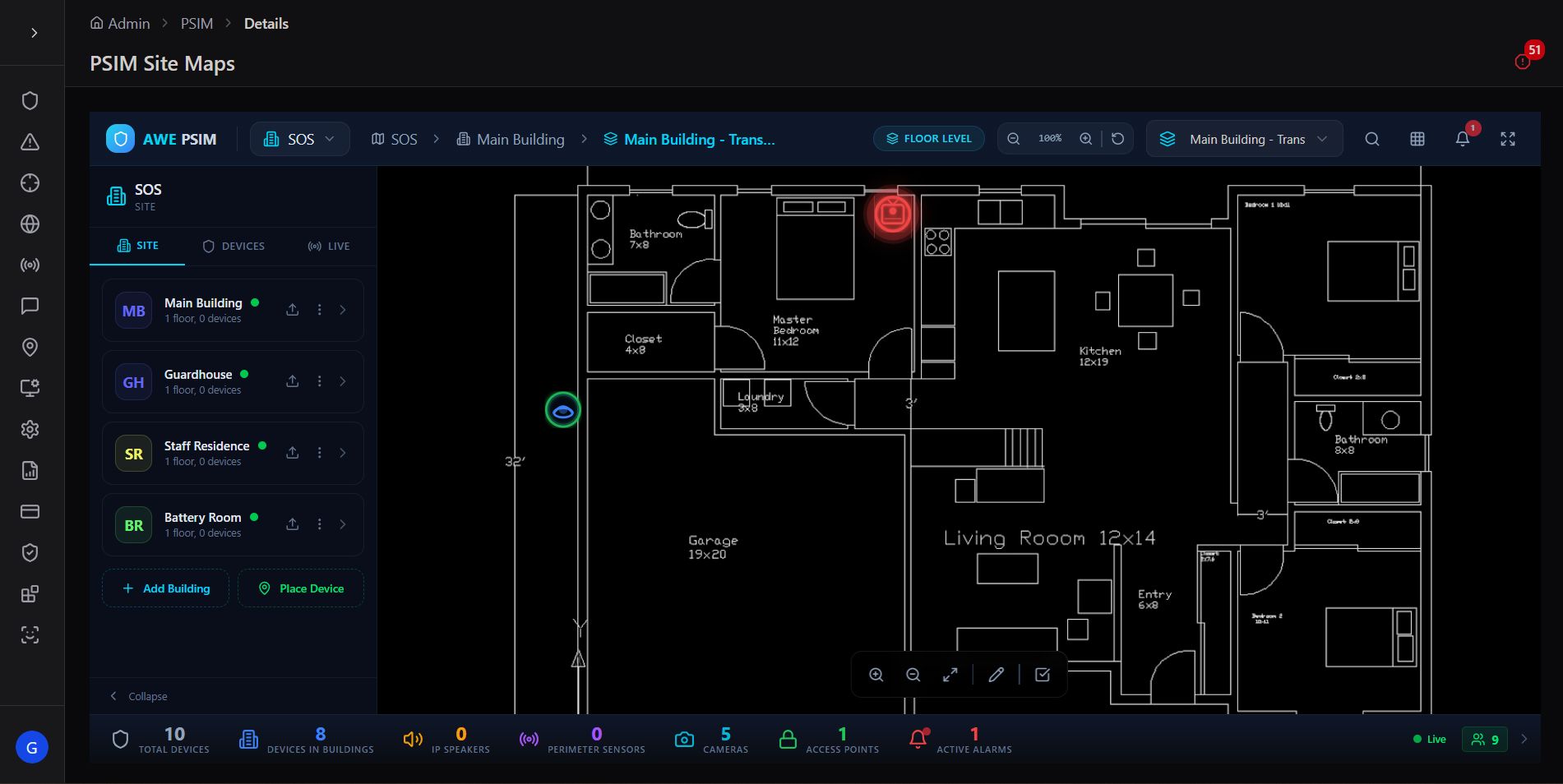
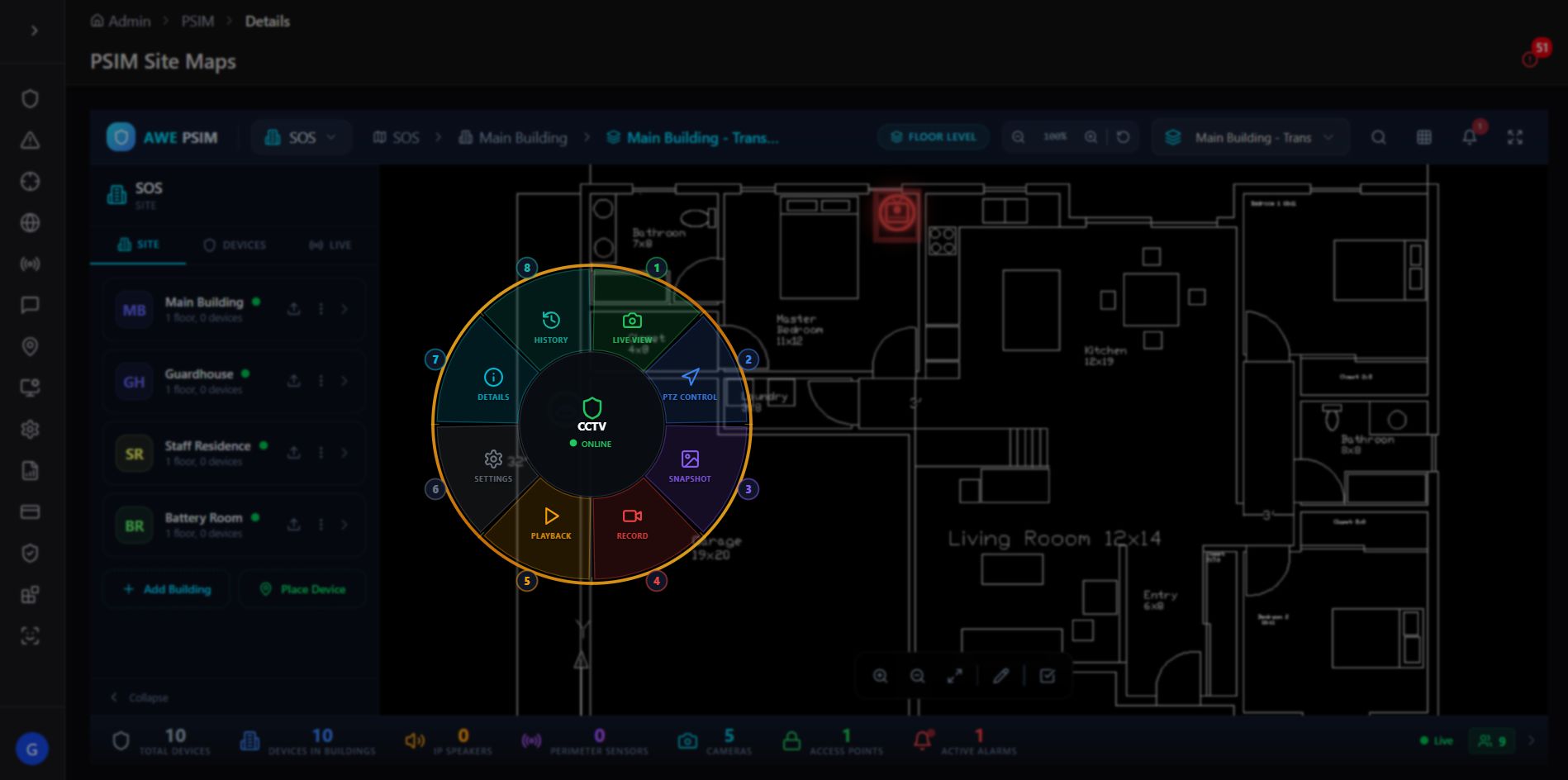
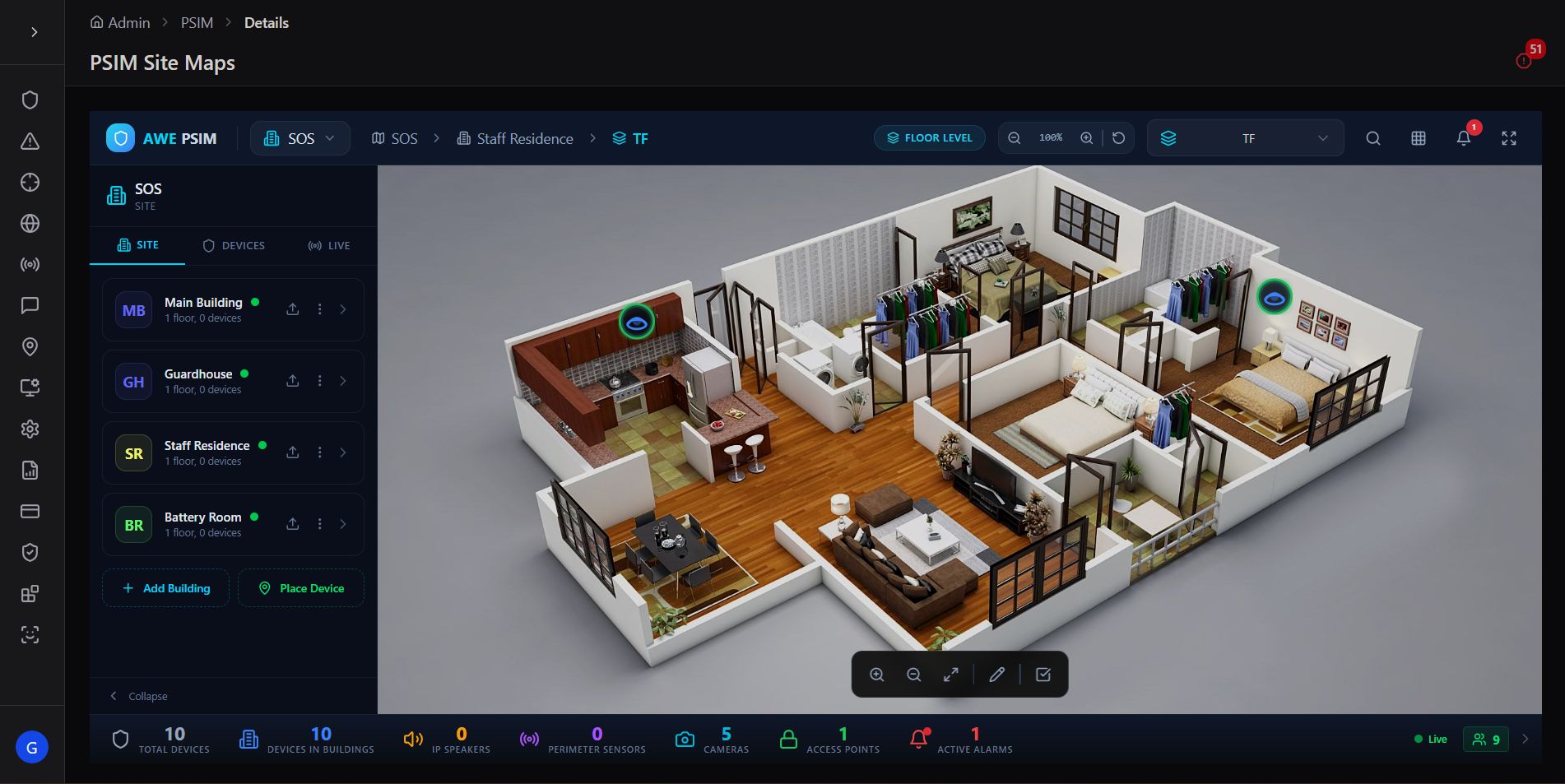
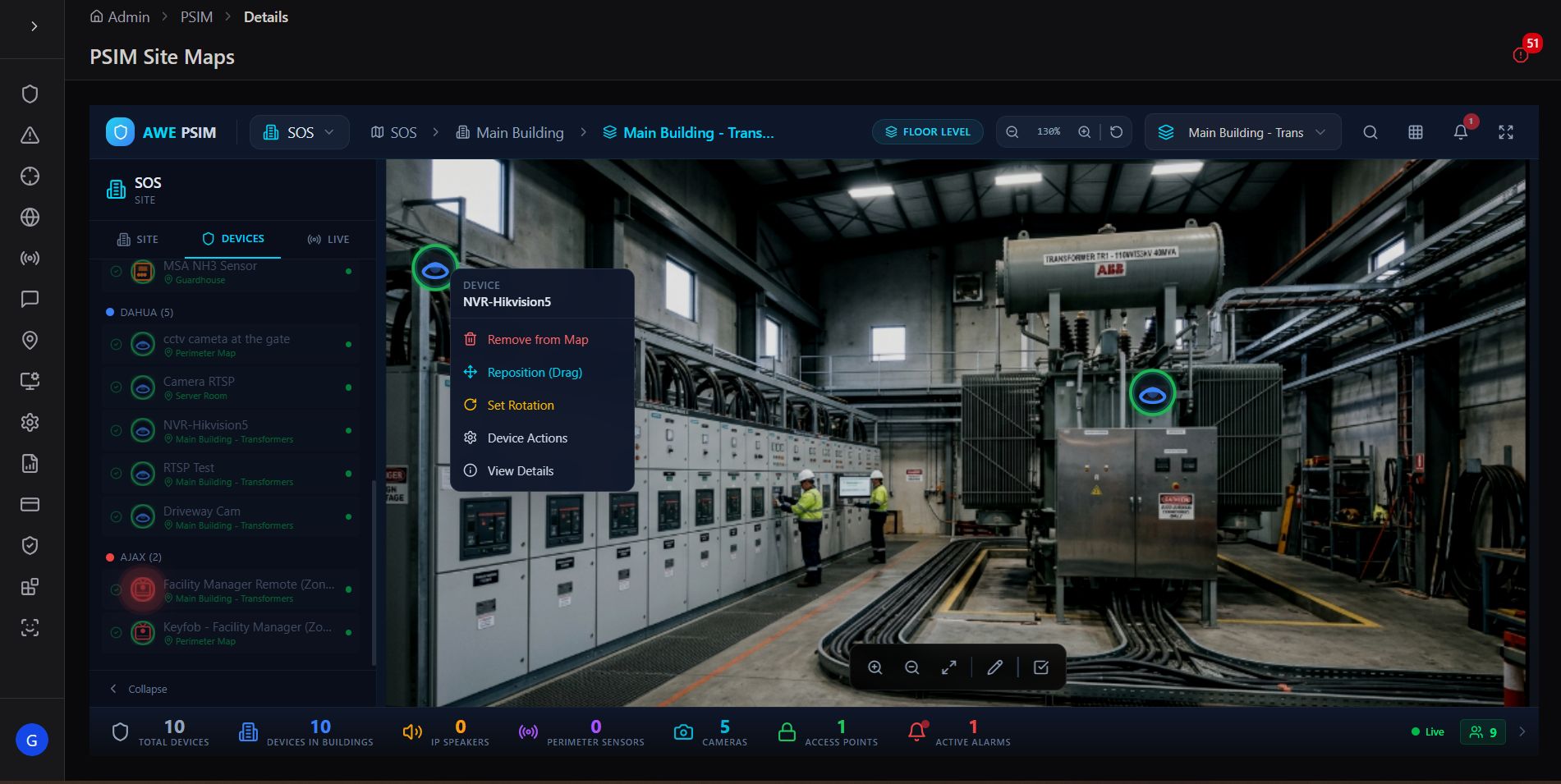
From address to room in three clicks. An operator responding to an alarm at a monitored site can go from the site-level overview, into the specific building, down to the exact room and device — confirming the situation visually before a single responder is dispatched.
Fixed Target Configuration
Operating hours, contacts, users, floor plans, and monitoring notes — every operational detail a site needs.
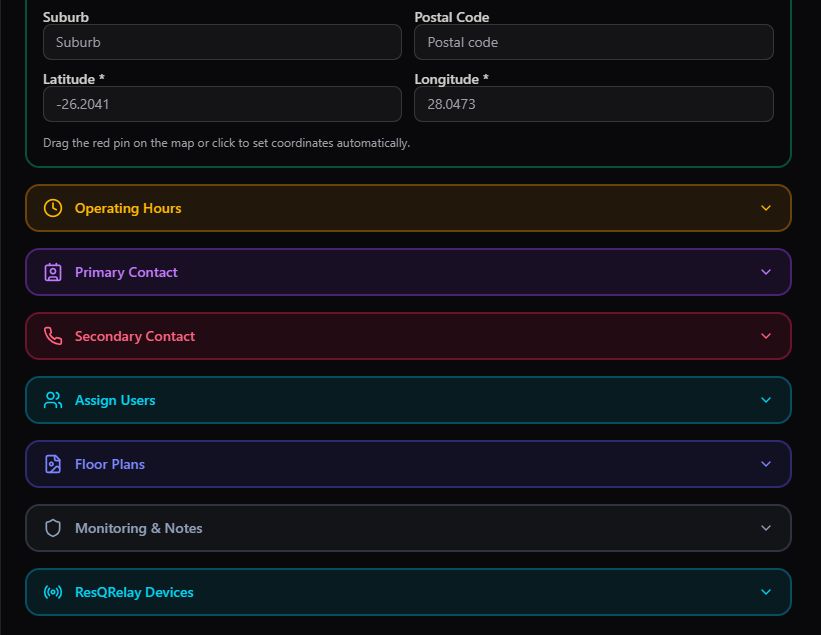
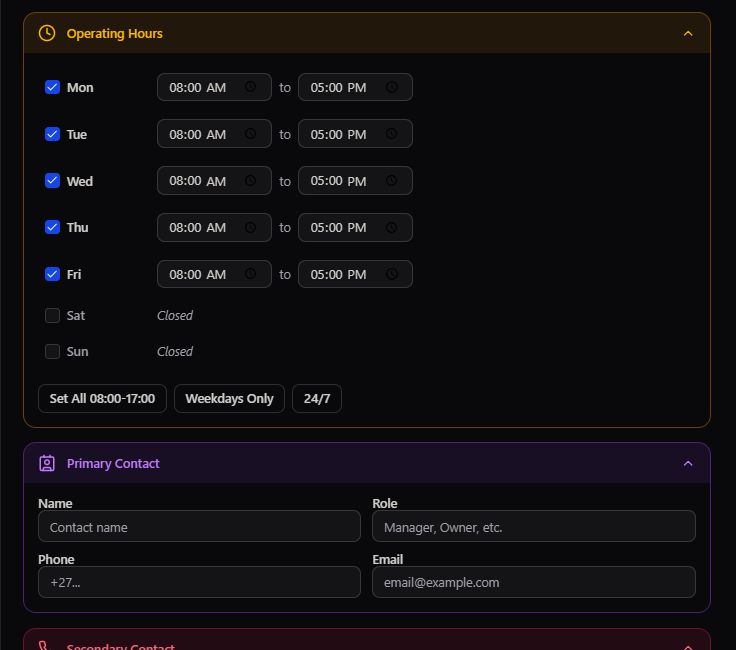
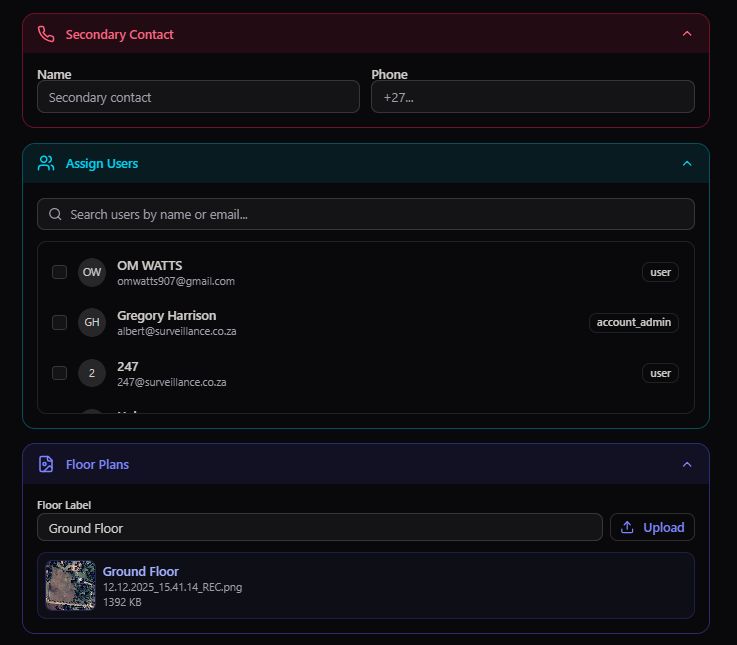
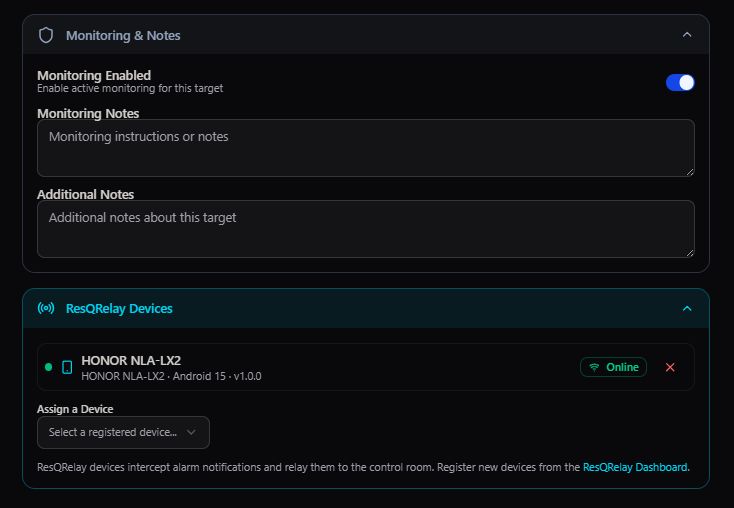
Beyond location, every Fixed Target carries a full operational profile. A structured set of accordion panels lets an admin define exactly when the site operates, who to contact under normal and emergency circumstances, which users are assigned to it, and any standing notes an operator should know before responding.
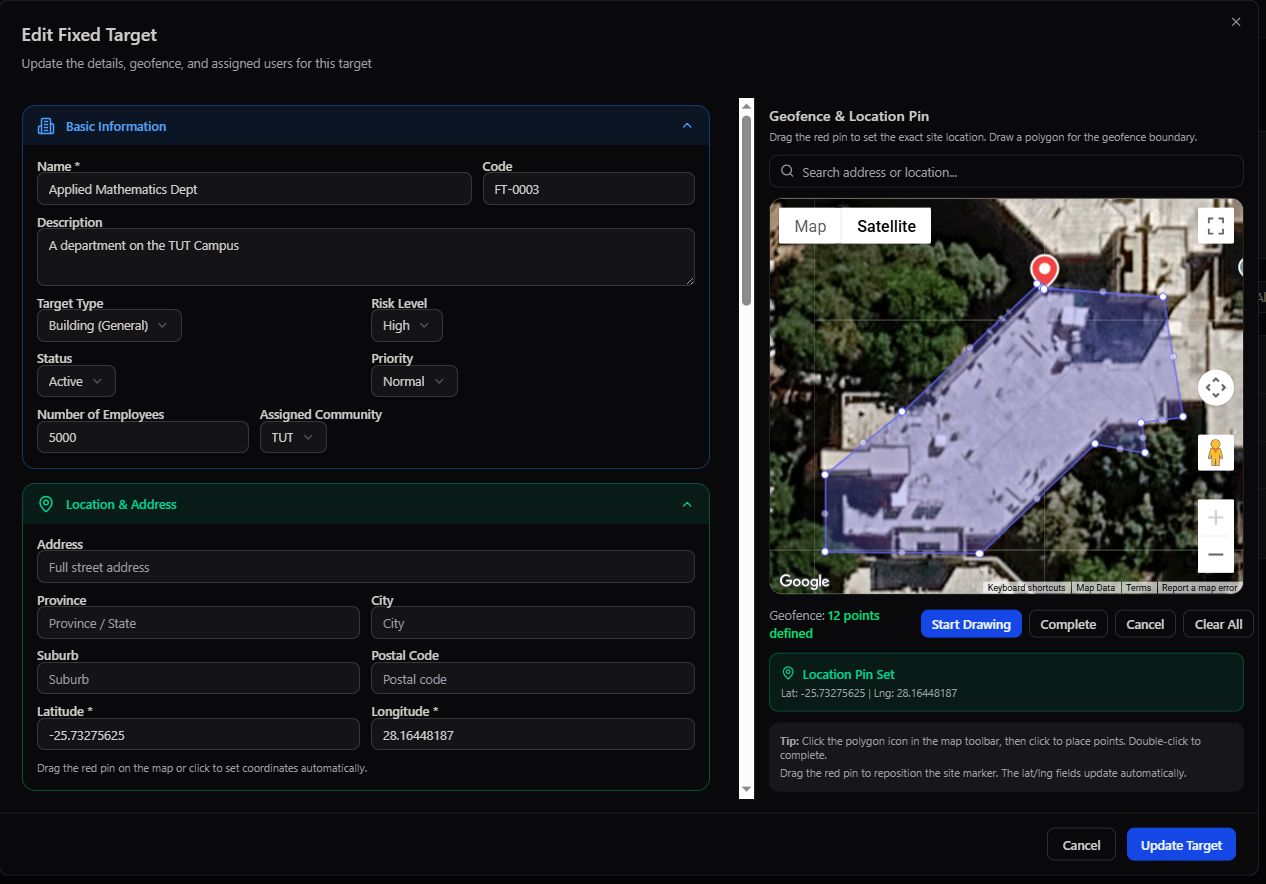
Editing an existing target
Every Fixed Target can be reopened for editing at any time — its full profile, geofence, and assigned community together in one form.
Row actions
From the Fixed Targets or Communities table, every row carries the same compact action set: view on map, preview, edit, or delete.


One profile, every operational answer. When an event fires at a Fixed Target, an operator can immediately check whether the site should be open right now, who to call, and whether there are standing notes about the location — all without leaving the target's configuration.
Mobile Targets
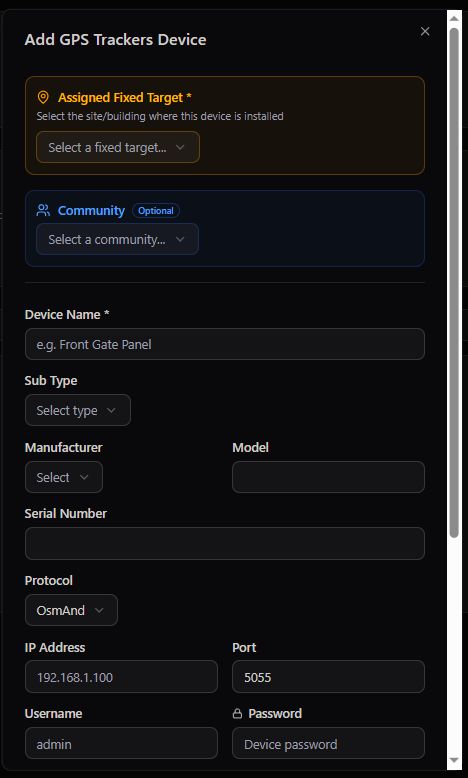
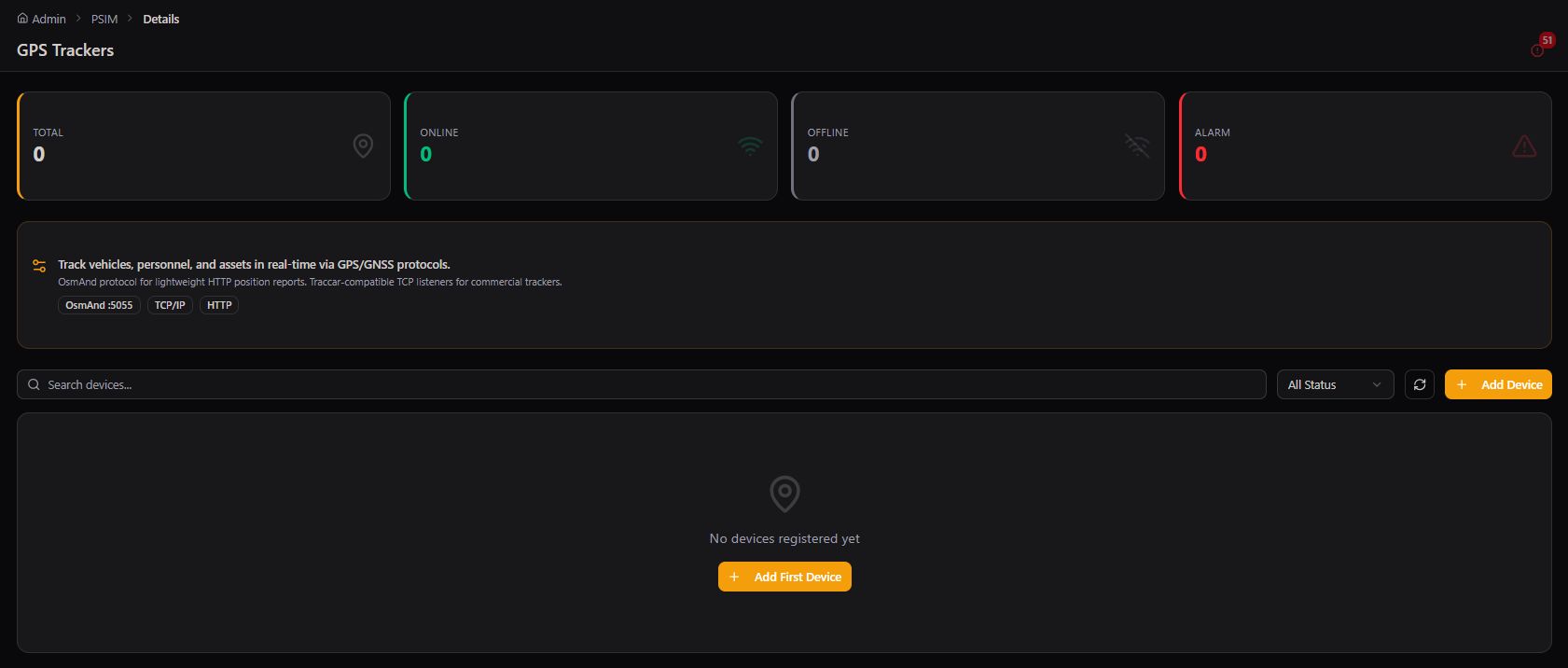
Track vehicles and other moving assets with the same rigor Fixed Targets applies to buildings.
Not everything worth monitoring stands still. Mobile Targets extends the same registry concept to vehicles and dynamic assets — tracked via a GPS device rather than a fixed geofence, with live location updates as they move.
Messaging Center
Compose and send push notifications directly to any user or responder, scoped by target.
Where News & Updates broadcasts to a workforce, the Messaging Center is Targets' direct line to individual users and responders — compose a message, choose its type and priority, attach a file if needed, and select exactly who receives it.
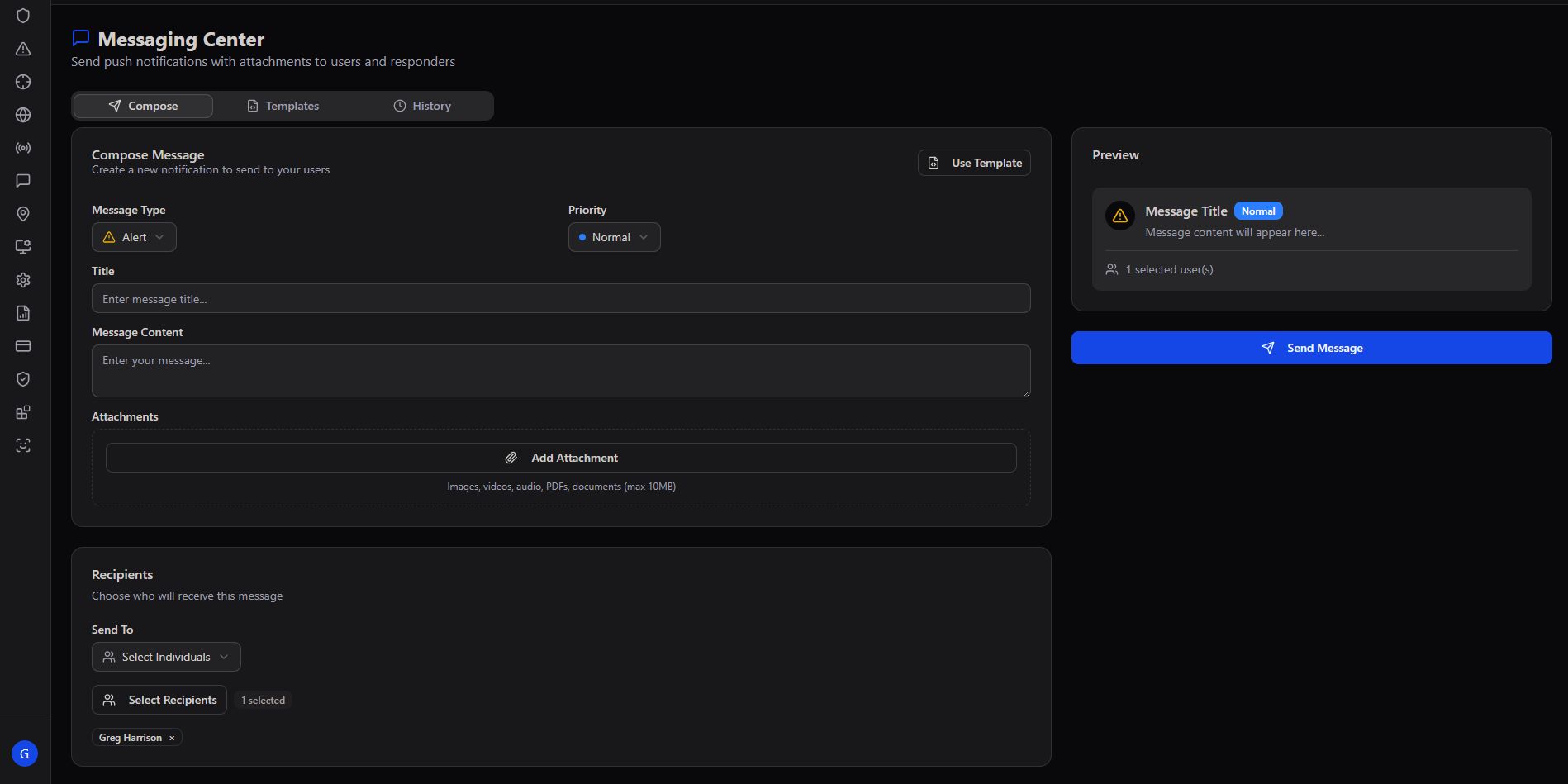
Direct, not broadcast. Messaging Center exists for the moments a bulletin isn't the right tool — a specific question for a specific responder, a targeted follow-up with a specific citizen, a one-to-one confirmation that doesn't need to reach anyone else.
Complete platform. Every target, accounted for.
Targets — across Users, Communities, Fixed Targets, Site Maps, and Mobile Targets — is the registry that makes every other module meaningful. The underlying question it answers is simple: who are we serving, where do they live and work, and what physical assets need watching? Event Processing and Responder Management both depend on this data being accurate, current, and geographically precise.