Every sensor.
Every camera.
One control platform.
Physical Security Information Management unifies every alarm panel, camera, radar, fence sensor, and access control device on a site into one monitoring and response platform — regardless of manufacturer or protocol.
PSIM at a glance
Twelve integration modules, one shared alarm, audit, and mapping layer underneath every one of them.
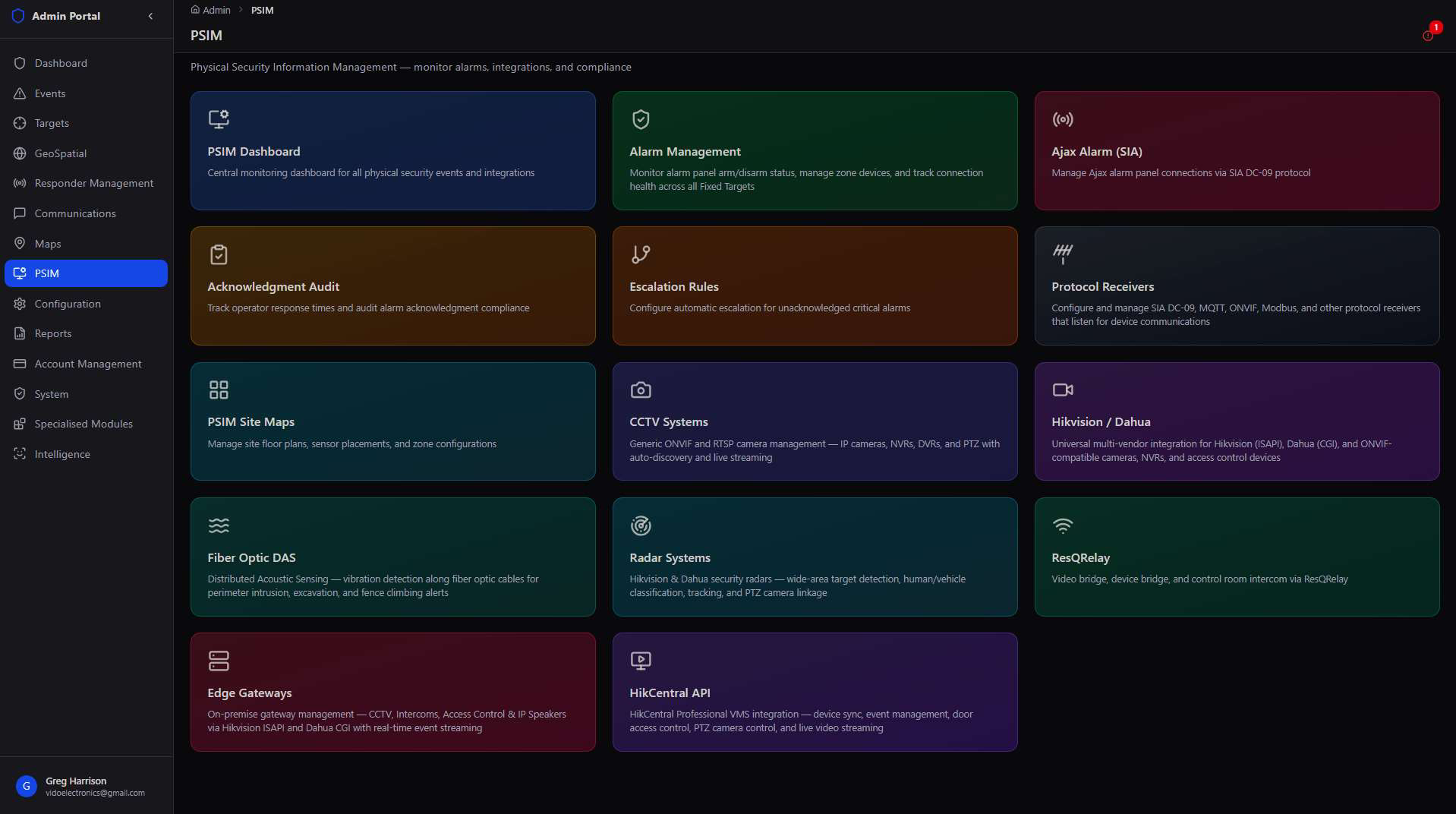
Physical security has never come from one vendor. A site might run Ajax alarm panels, Hikvision cameras, a Dahua NVR, a fiber optic perimeter fence, and a microwave radar — each with its own protocol. PSIM is the layer that ingests every one of them into a single event stream, with consistent acknowledgment tracking, escalation rules, and map visualization no matter the source device.
Why PSIM sits above the individual device modules. CCTV, Alarm Management, and Access Control each have their own detail screens — PSIM is the dashboard, audit trail, and map that ties them together into one operating picture for the control room.
PSIM Dashboard
The central hub — every connected device, grouped by equipment type, with live online/offline/alarm counts.
The dashboard opens on three top-line numbers — total devices, online, offline, and in alarm — then breaks the full inventory down by equipment module, from alarm systems and CCTV to smart poles and ResQRelay bridges.
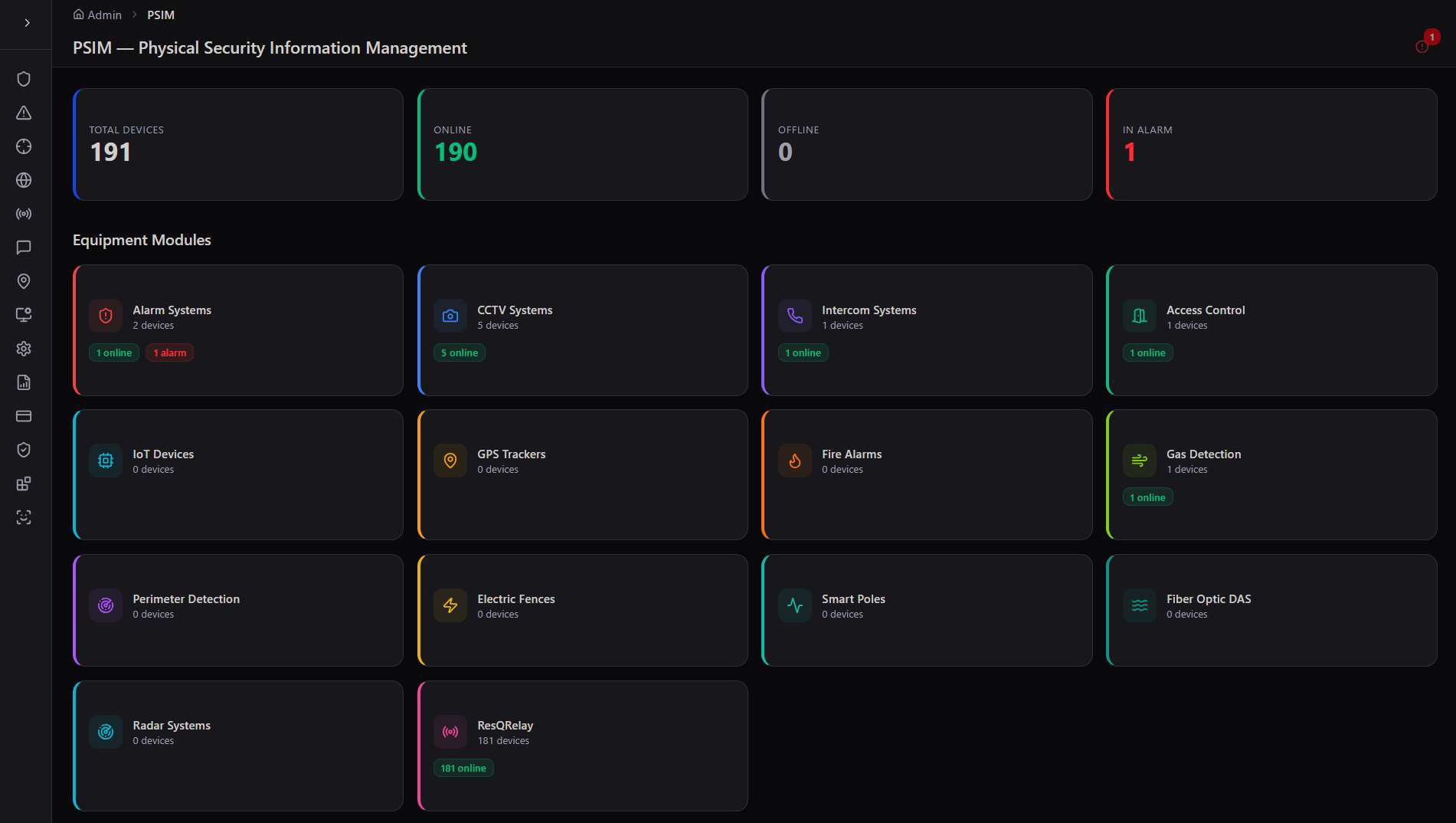
Equipment Modules
Each card is a live tile for one device category — Alarm Systems, CCTV, Intercoms, Access Control, IoT Devices, GPS Trackers, Fire Alarms, Gas Detection, Perimeter Detection, Electric Fences, Smart Poles, Fiber Optic DAS, Radar, and ResQRelay — showing device count and online status without opening the module.
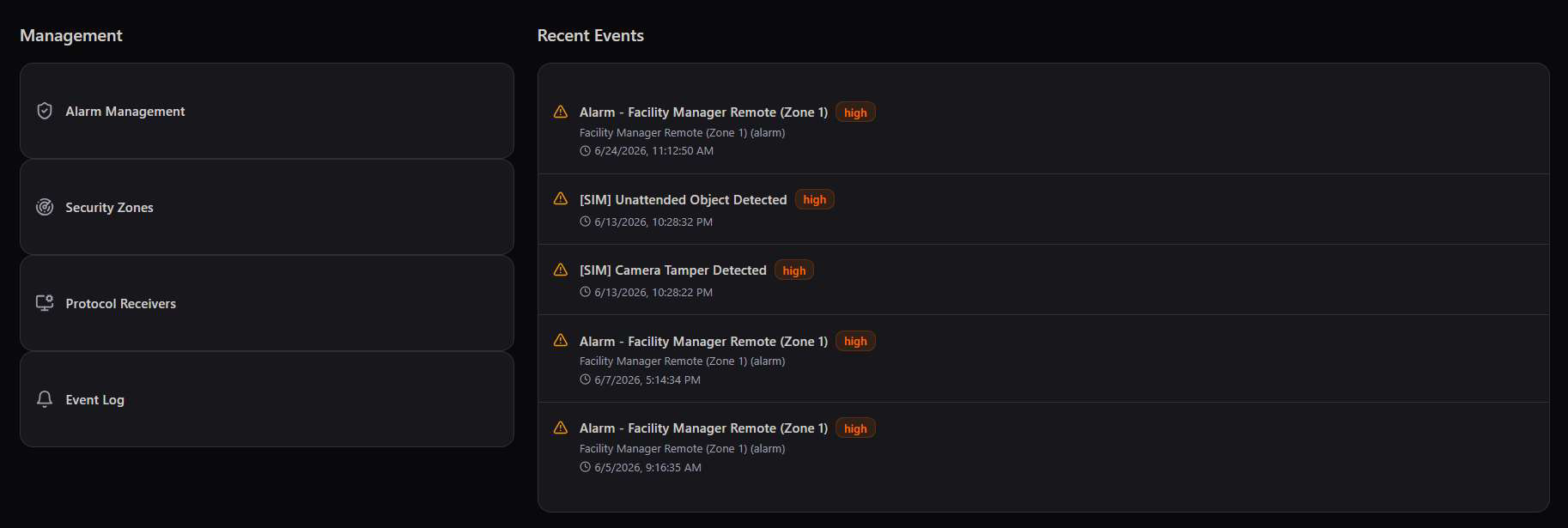
A dashboard built to be scanned, not read. A control room operator glances at the color-coded module cards to spot a problem — a red "1 alarm" on Alarm Systems, or a module sitting at "0 online" — long before they'd notice it scrolling through an event log.
Alarm Management & Escalation
From an Ajax panel's raw SIA signal to a logged acknowledgment time, with automatic escalation if nobody responds.
Alarm Management is PSIM's core compliance loop: panels report in over the SIA DC-09 protocol, every signal is logged, every critical alarm needs an acknowledgment, and an unacknowledged alarm escalates automatically rather than sitting silent.
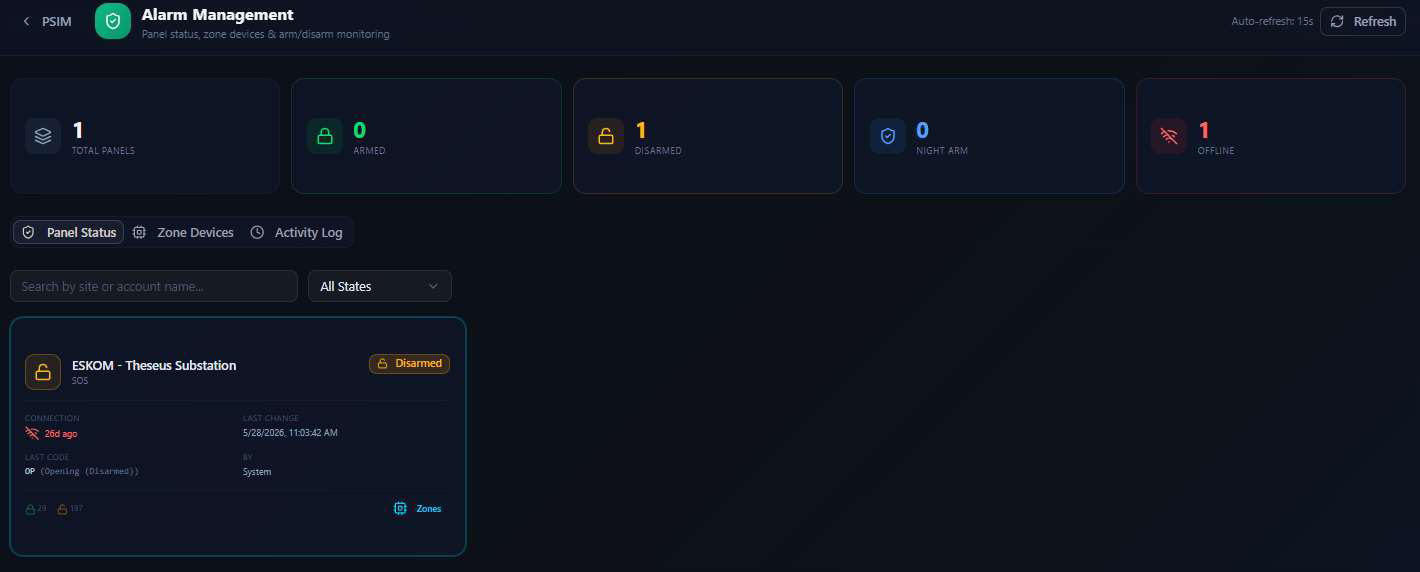
Alarm Panel Status
Before drilling into any one protocol, Alarm Management gives a fleet-wide view of every panel's arm state — armed, disarmed, night-armed, or offline — with connection health and last-change details per panel.
Ajax Alarm (SIA DC-09)
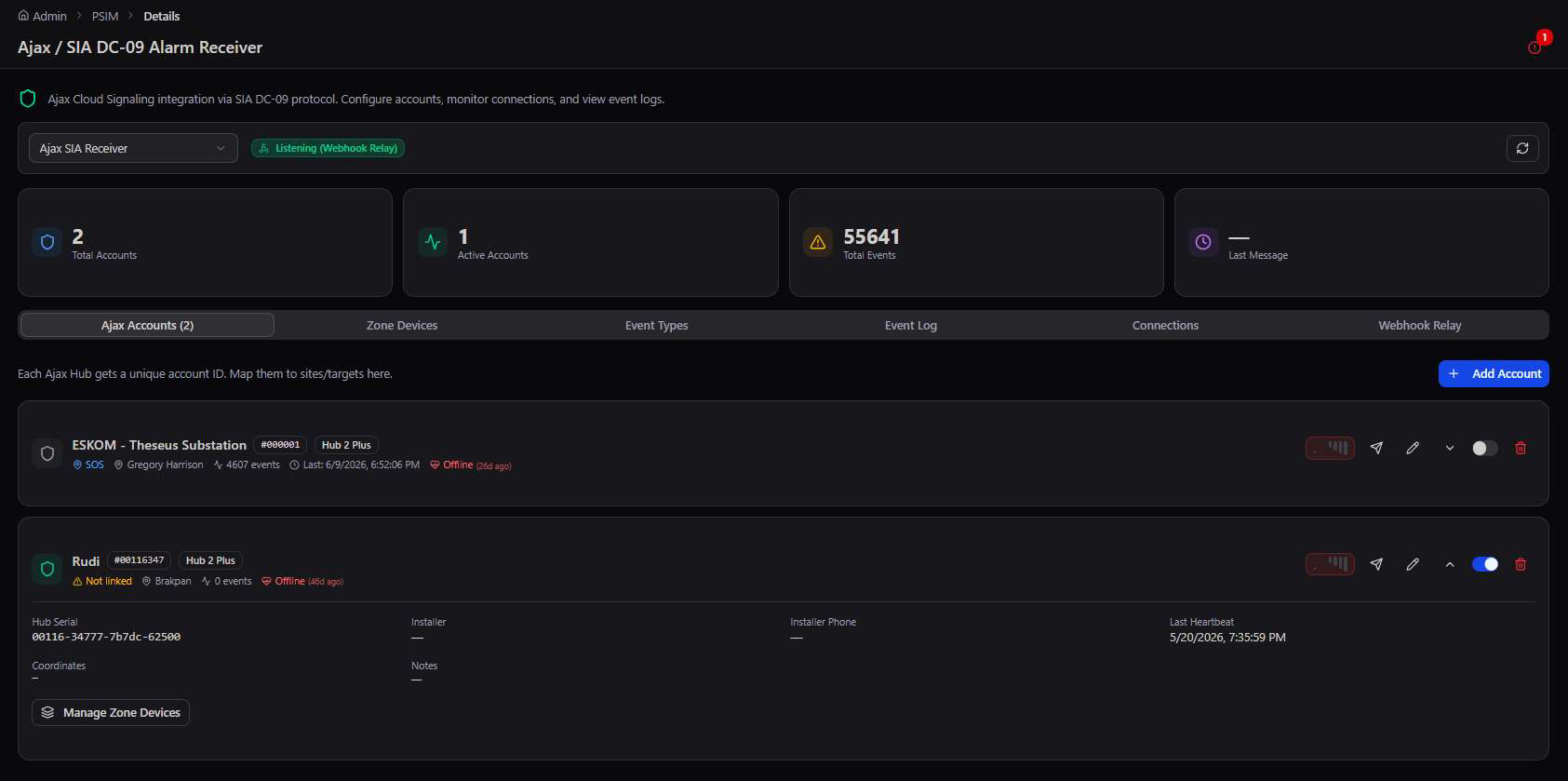
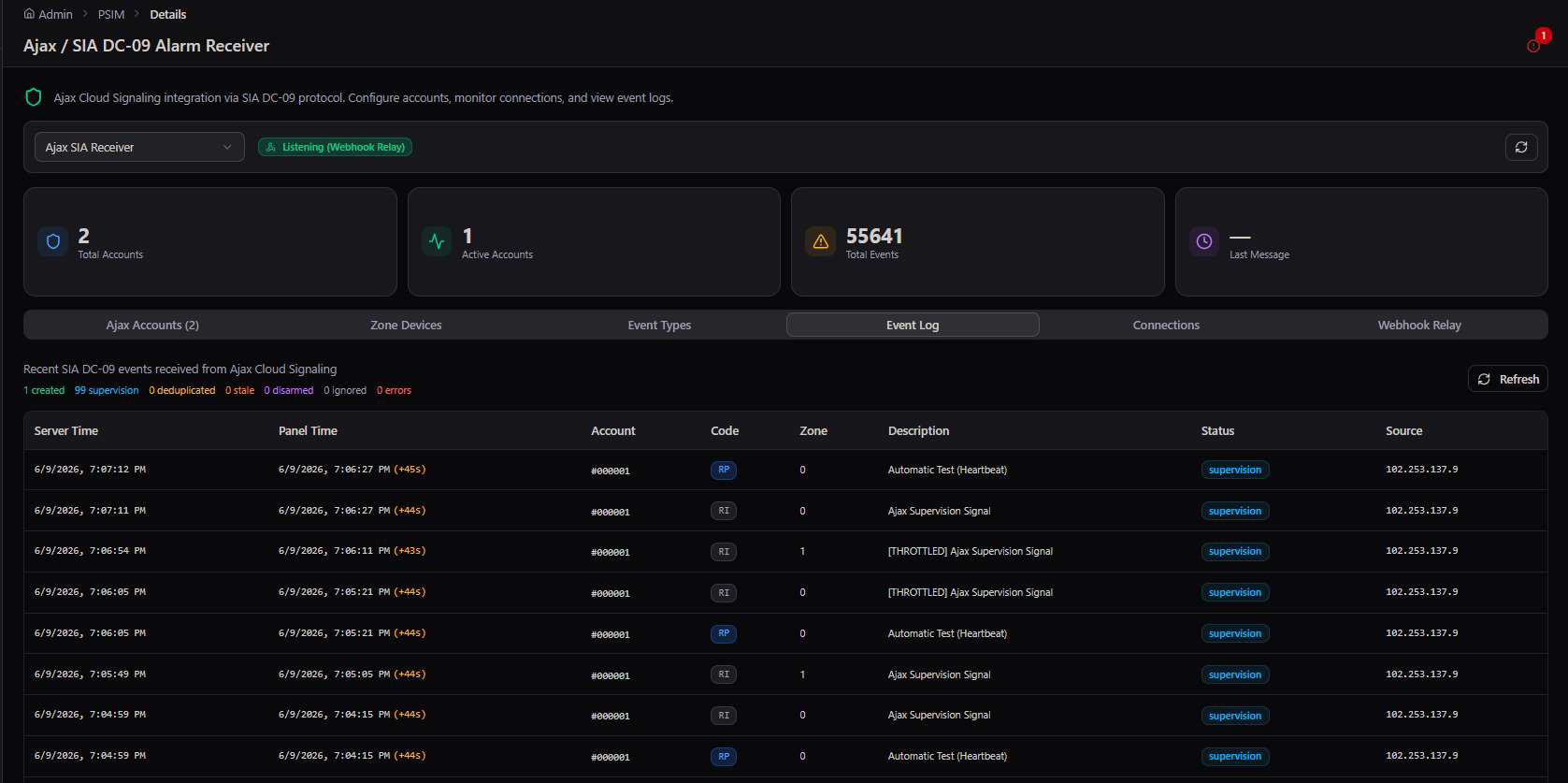
Each Ajax hub is registered as an account under a receiver, linked to the fixed target it protects. The account list shows link status and last-heartbeat at a glance; the event log beneath it streams every signal the panel has ever sent.
Acknowledgment Audit
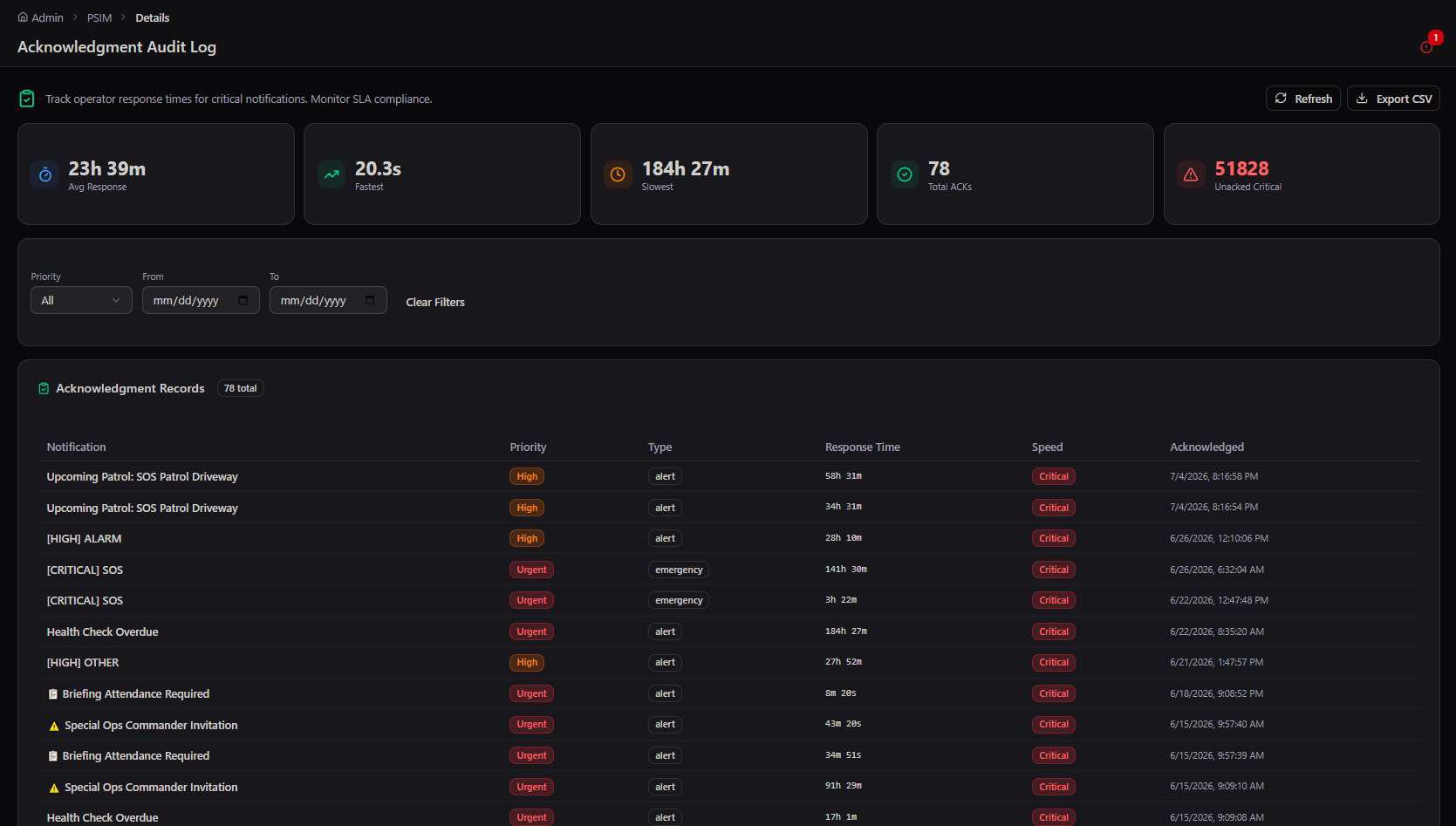
Every critical notification an operator acknowledges is timed and logged — the audit view surfaces average, fastest, and slowest response times alongside a full filterable record.
Escalation Rules
A rule pairs a trigger priority with a timeout — if a notification of that priority goes unacknowledged past the timeout, it escalates automatically to the configured recipient and channel.
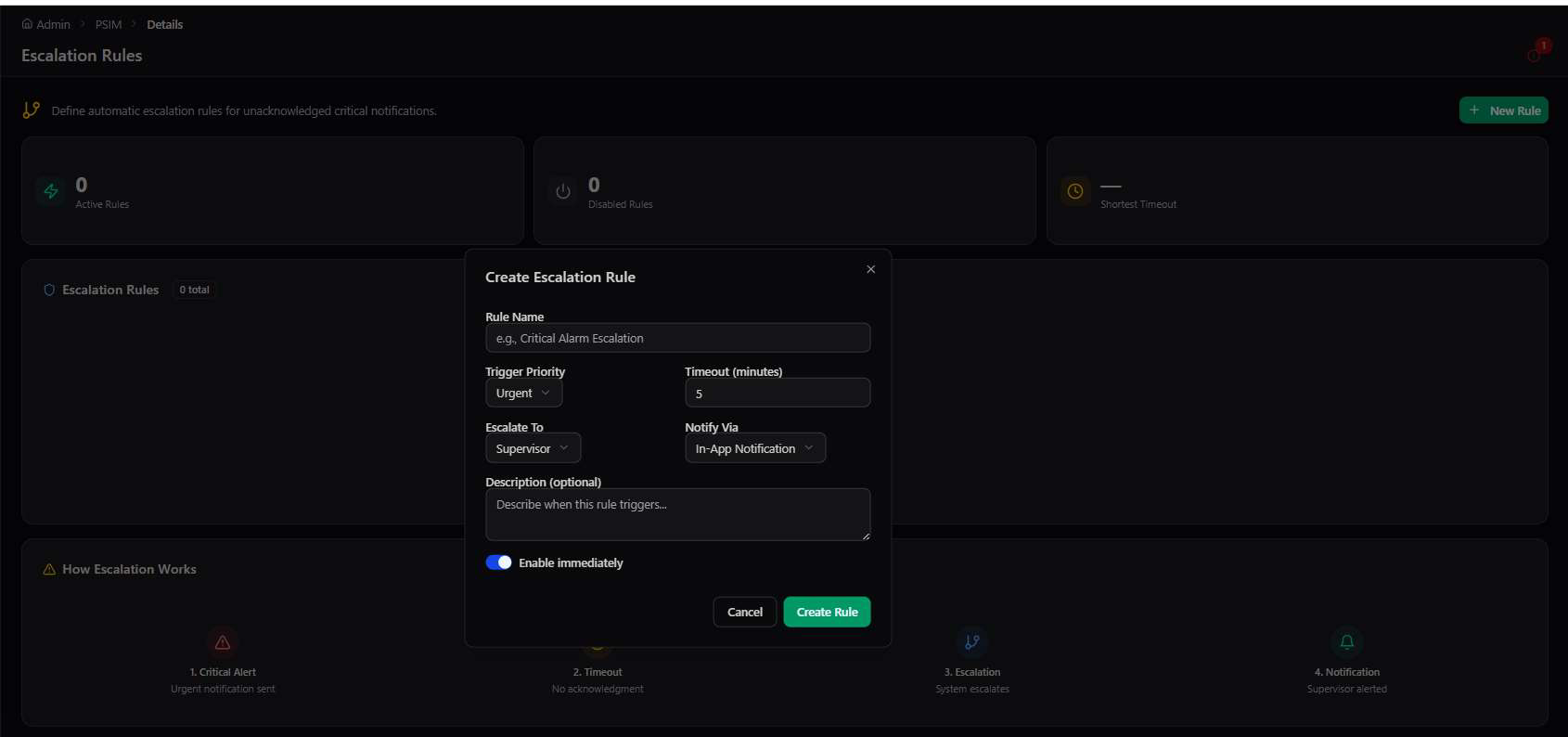
Escalation is the safety net for a missed alarm. Acknowledgment Audit tells you how the team performed after the fact; Escalation Rules make sure a critical alarm never simply times out unnoticed in the first place — it automatically reaches a supervisor.
Device Integrations
Protocol receivers, CCTV, multi-vendor cameras, perimeter sensing, radar, and access control — each configured on its own dedicated screen.
Underneath the dashboard, each device family gets a purpose-built management screen: discovery, registration, live status, and the protocol-specific settings that family needs.
Protocol Receivers
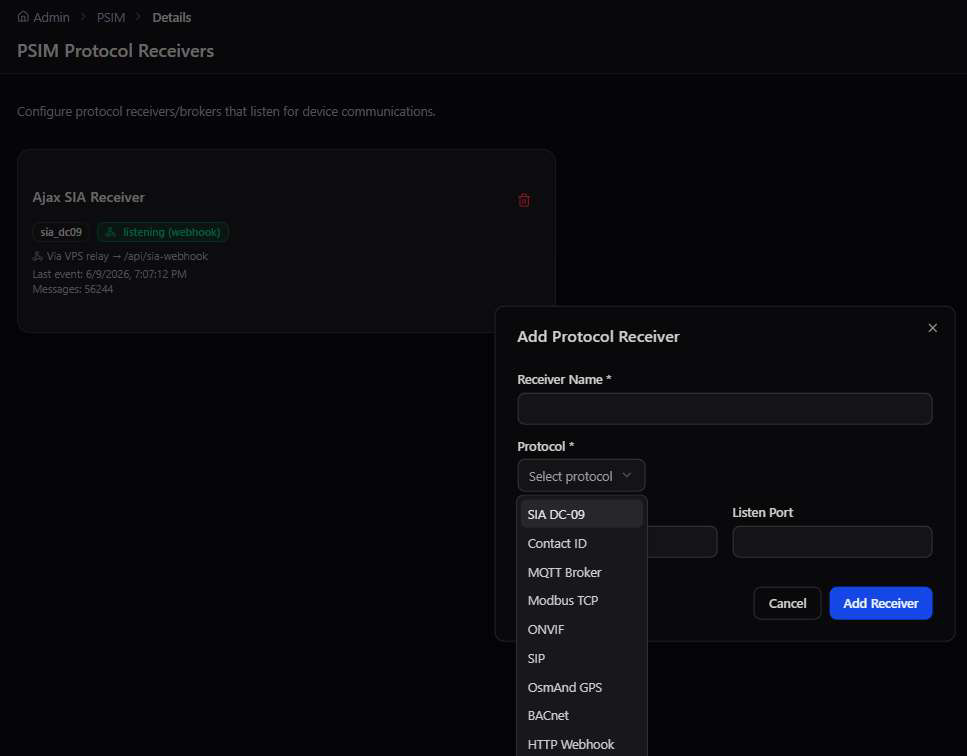
Before any device can report in, a receiver has to be listening for its protocol. PSIM supports SIA DC-09, Contact ID, MQTT, Modbus TCP, ONVIF, SIP, OsmAnd GPS, BACnet, and generic HTTP webhooks.
CCTV & multi-vendor cameras
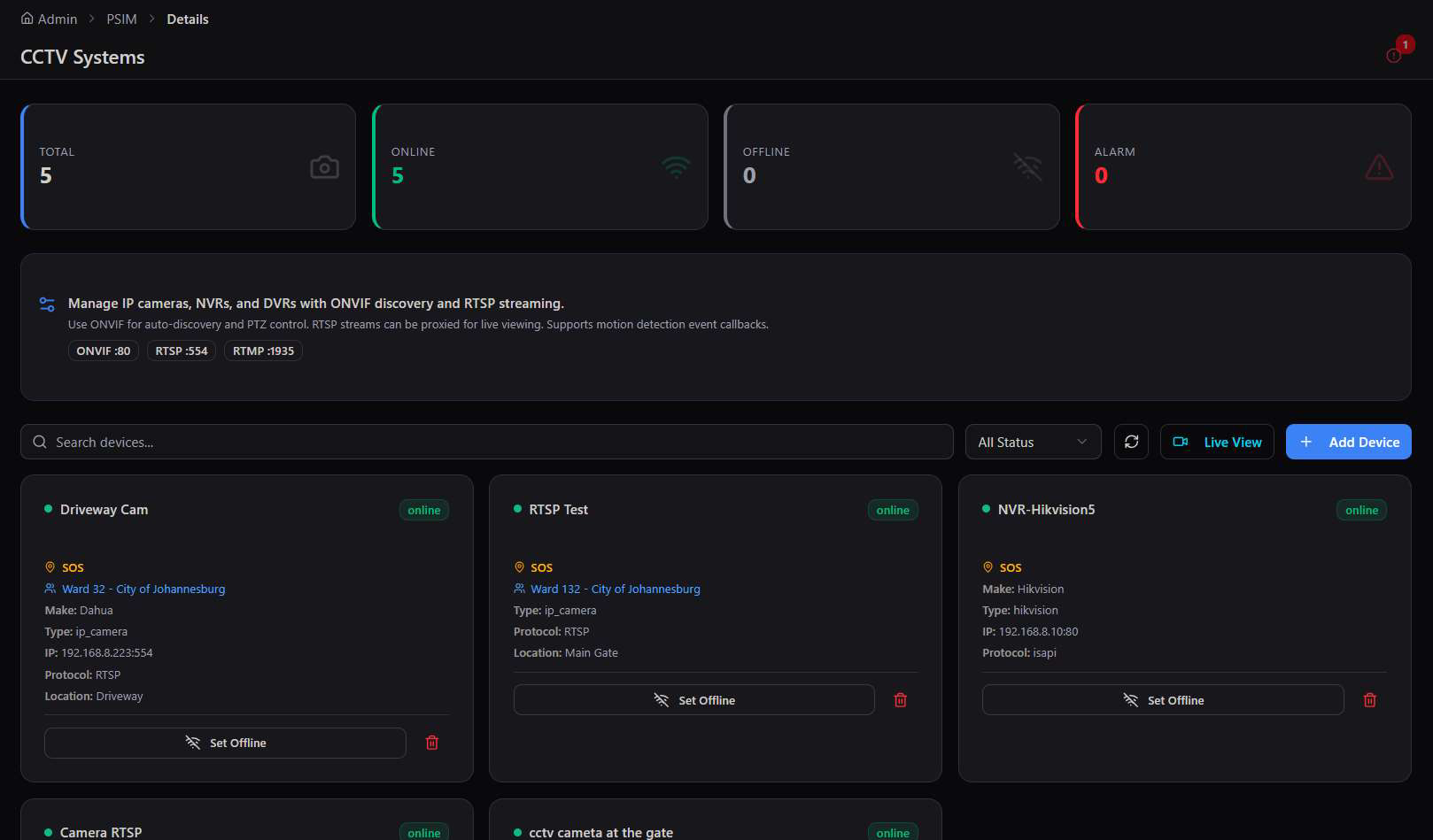
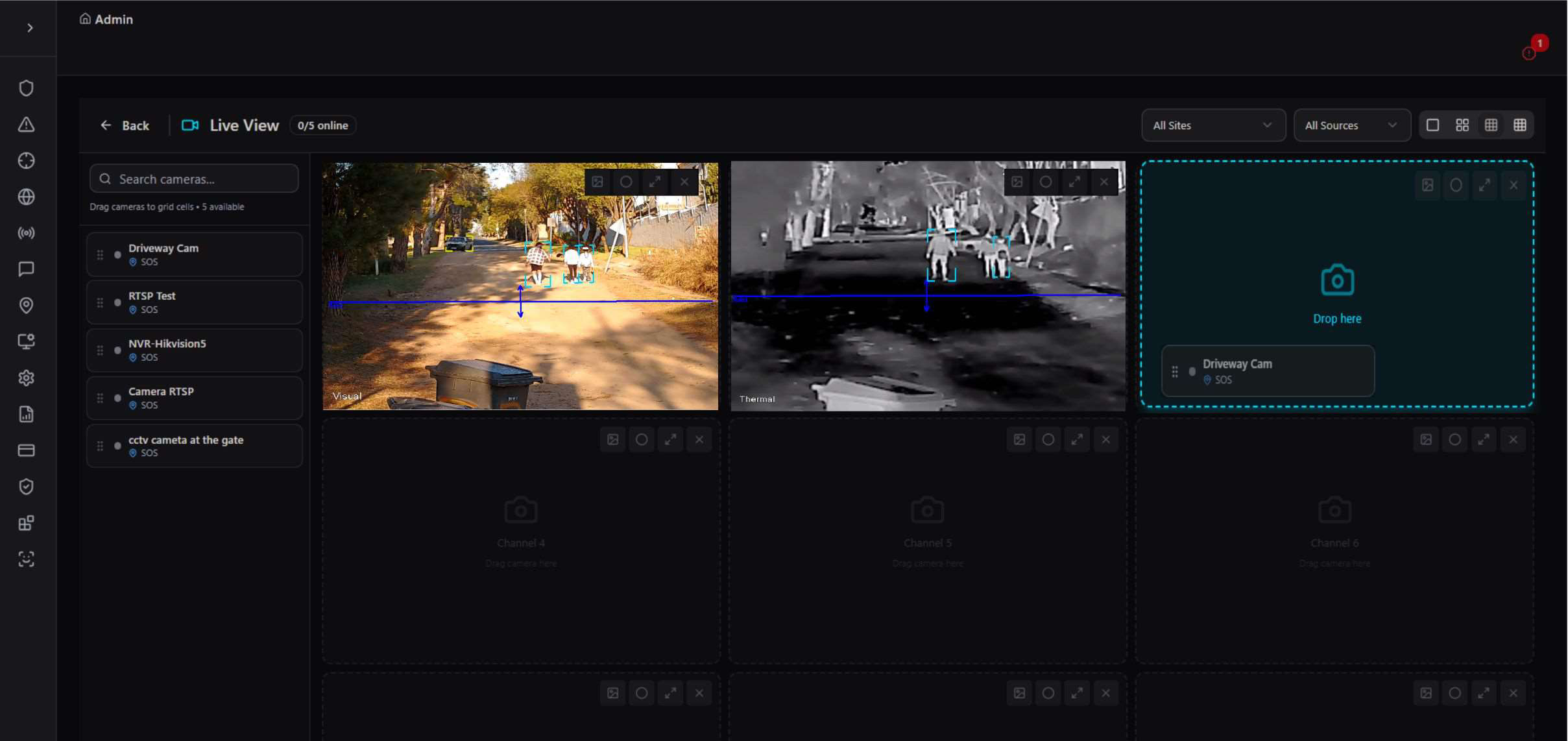
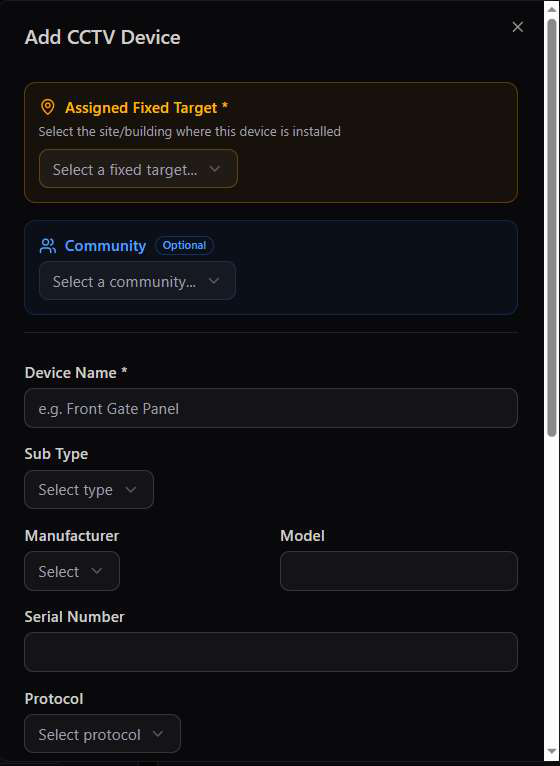
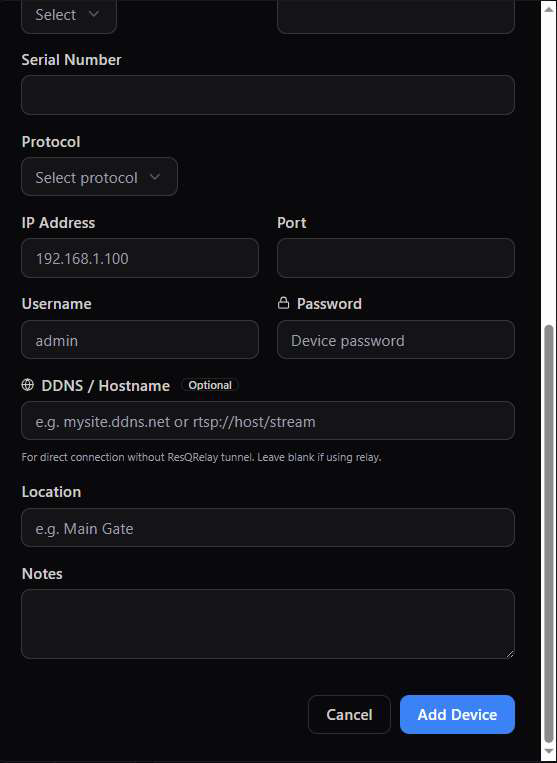
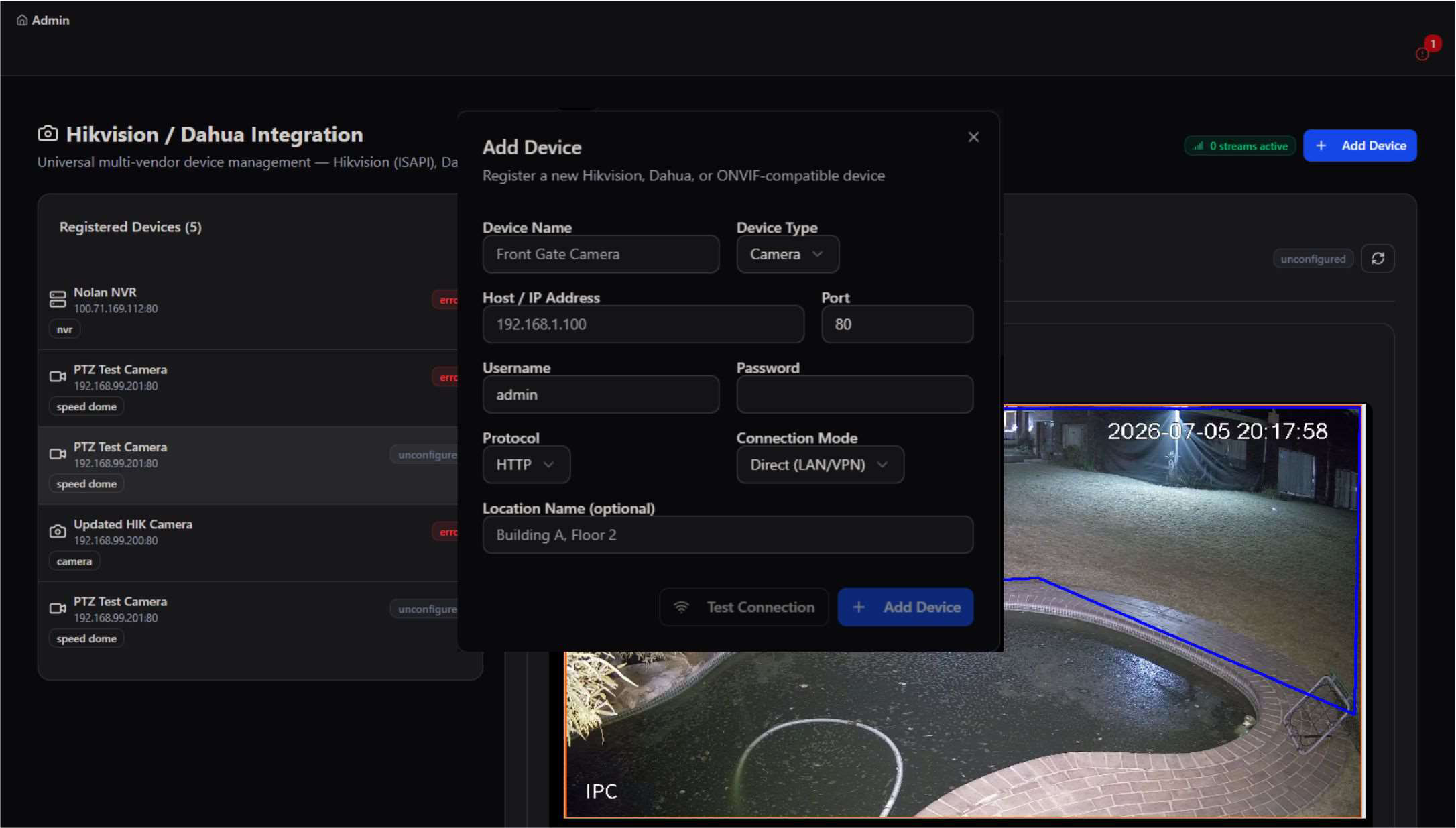
Generic ONVIF/RTSP cameras and Hikvision/Dahua devices both register the same way — auto-discovery or manual entry, then live status and a live-view grid an operator can drag cameras into.
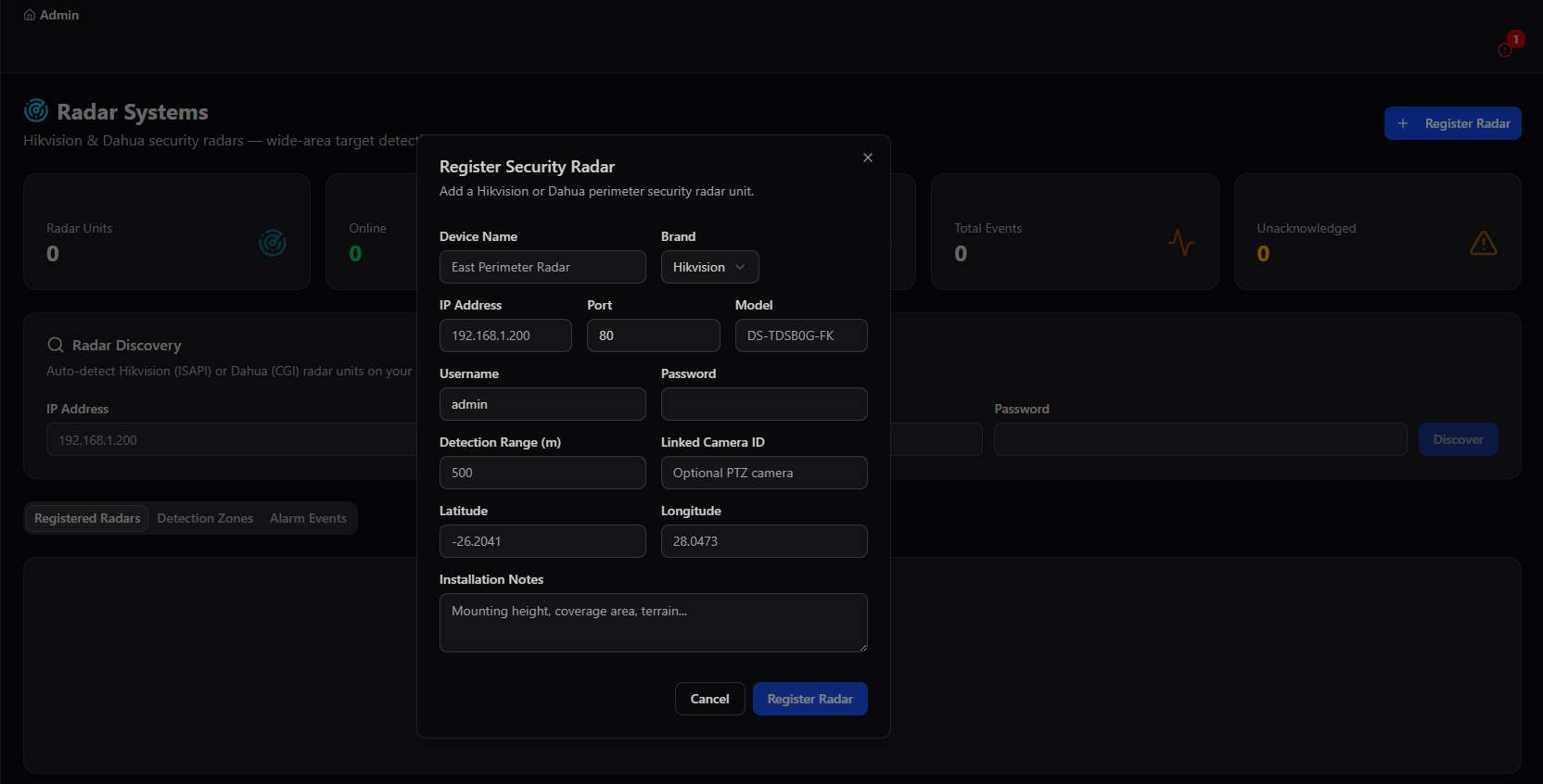
Perimeter sensing: fences, radar, and fiber optic DAS
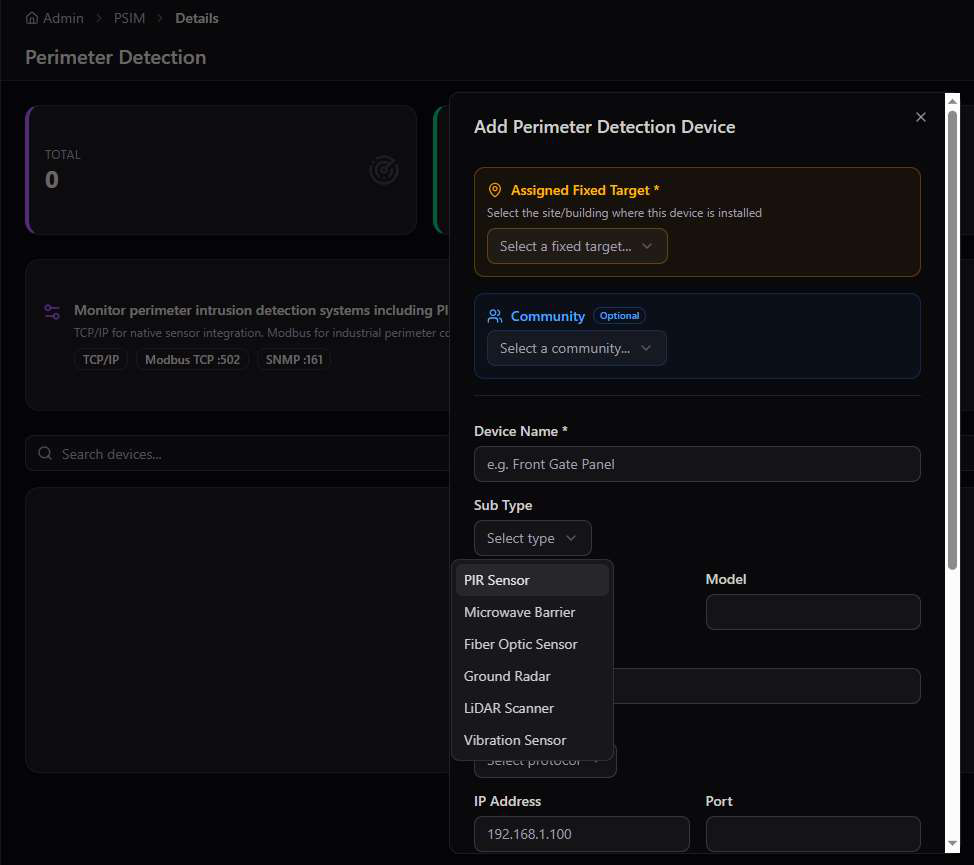
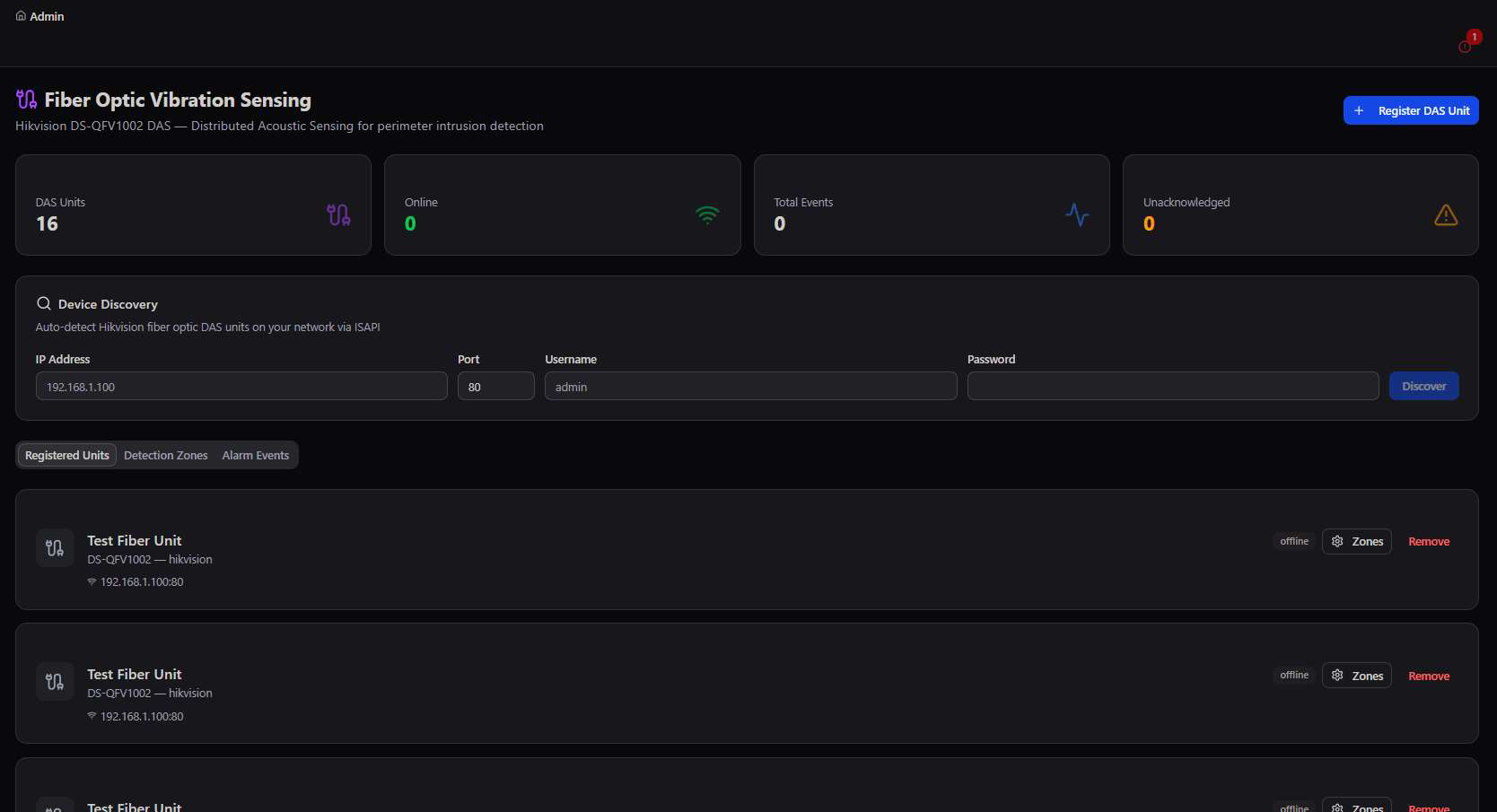
Three complementary perimeter technologies cover different failure modes — PIR and microwave sensors for near-field motion, radar for wide-area detection regardless of weather, and fiber optic Distributed Acoustic Sensing for vibration along the fence line itself.
Smart Poles
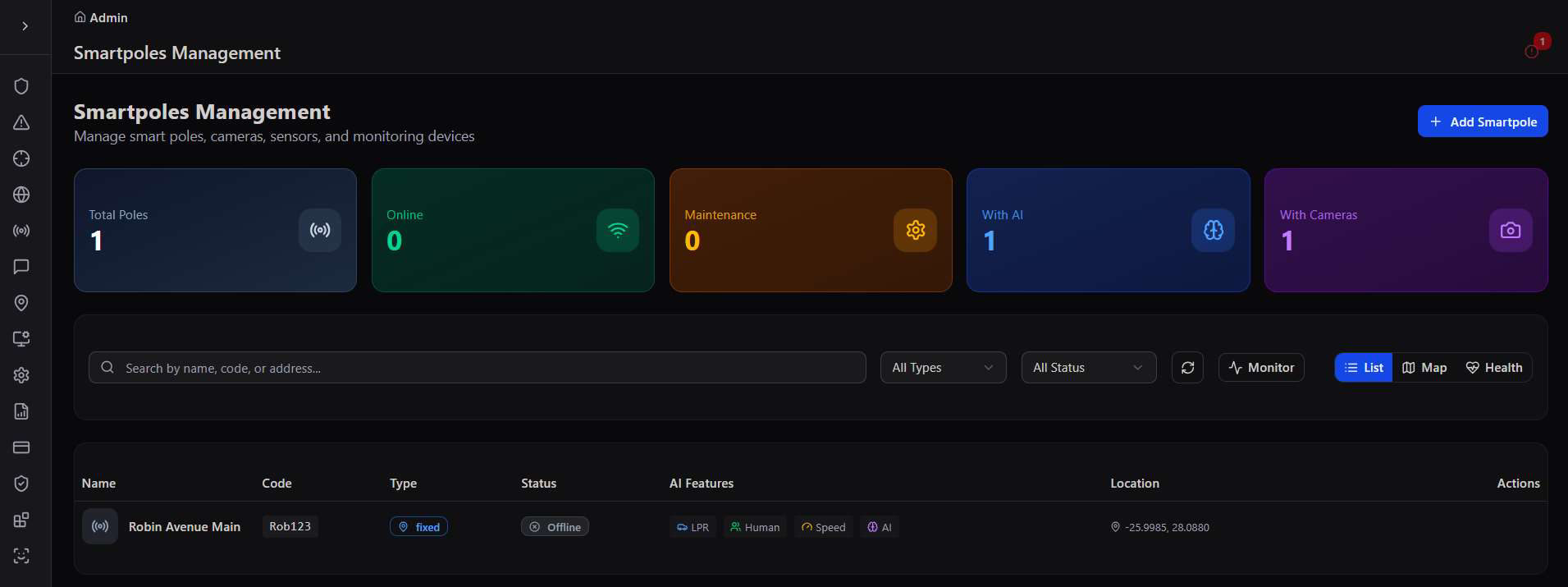
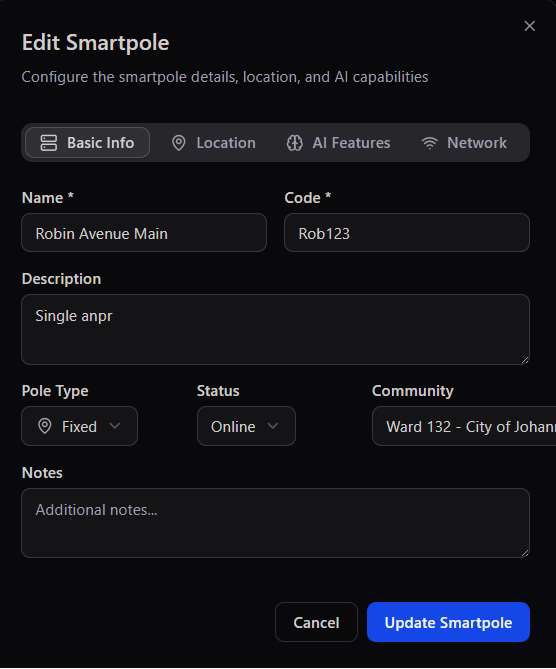
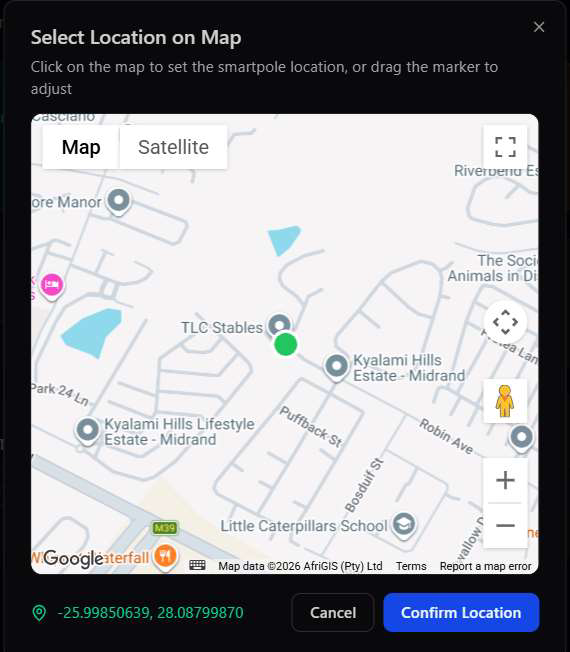
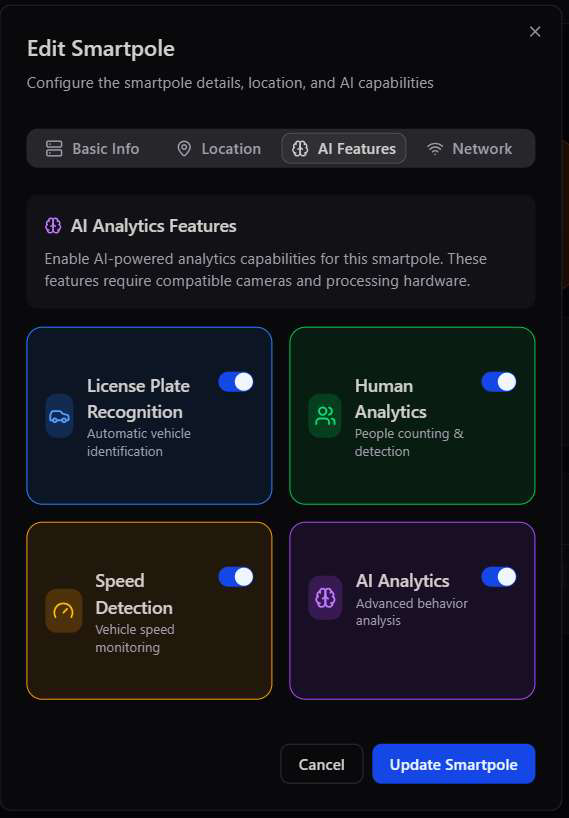
Smart poles combine cameras, speakers, sensors, and AI analytics (LPR, human detection, speed detection) into a single street-side unit, tracked here with a live health view alongside the standard device list.
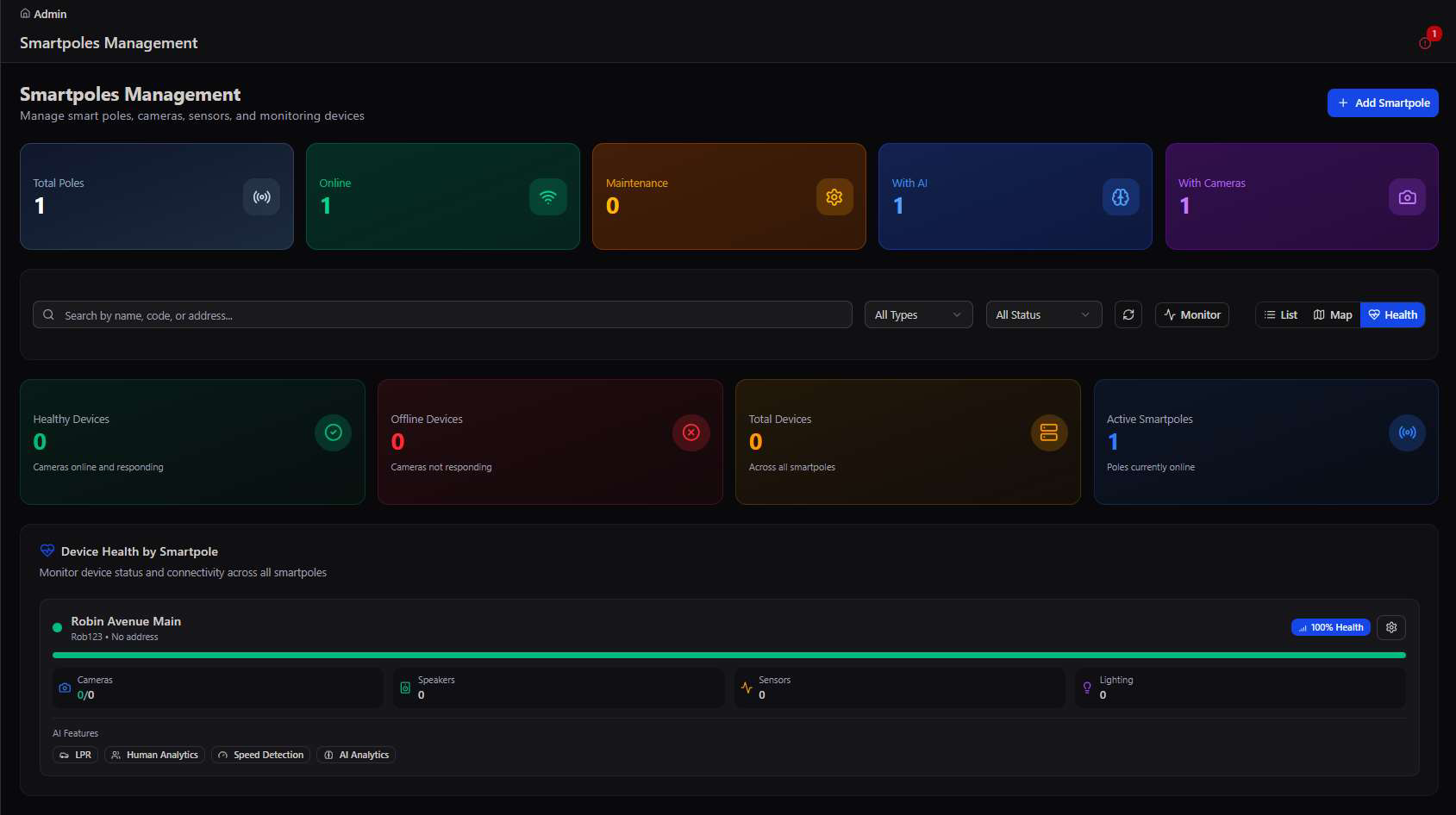
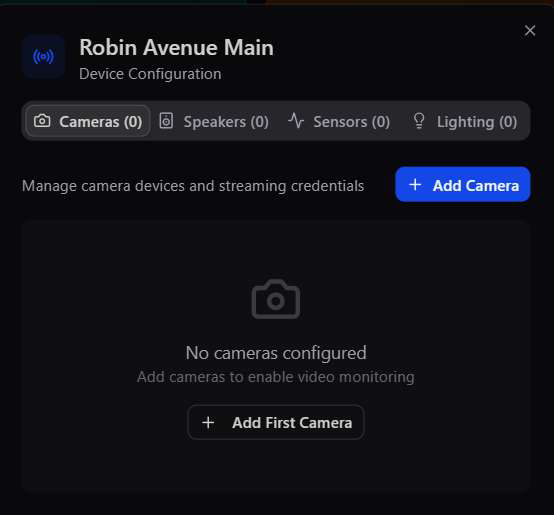
Editing a pole configures it in four tabs — device inventory (cameras, speakers, sensors, lighting), basic info and community assignment, its exact map location, and which AI analytics features it runs.
Access Control & Edge Gateways
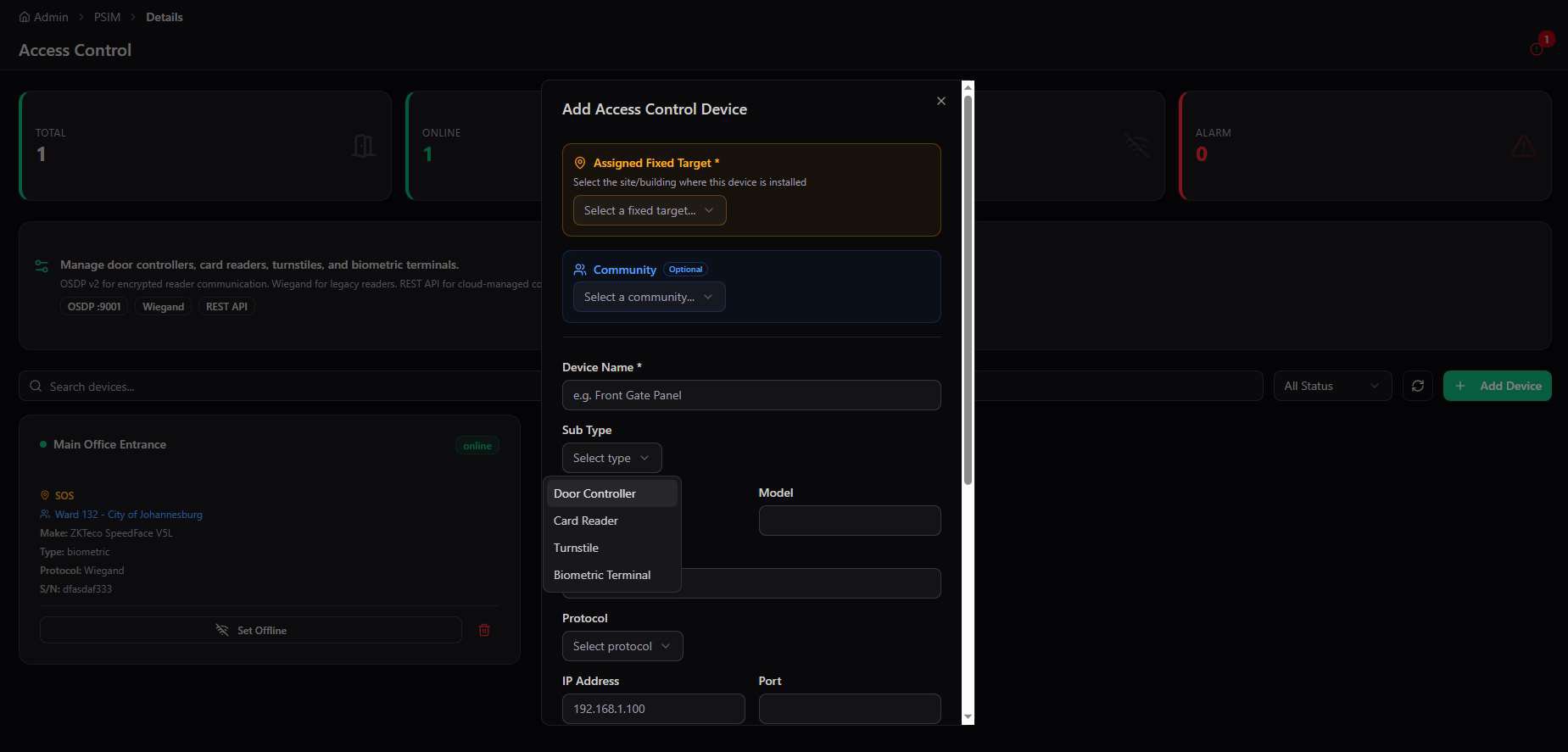
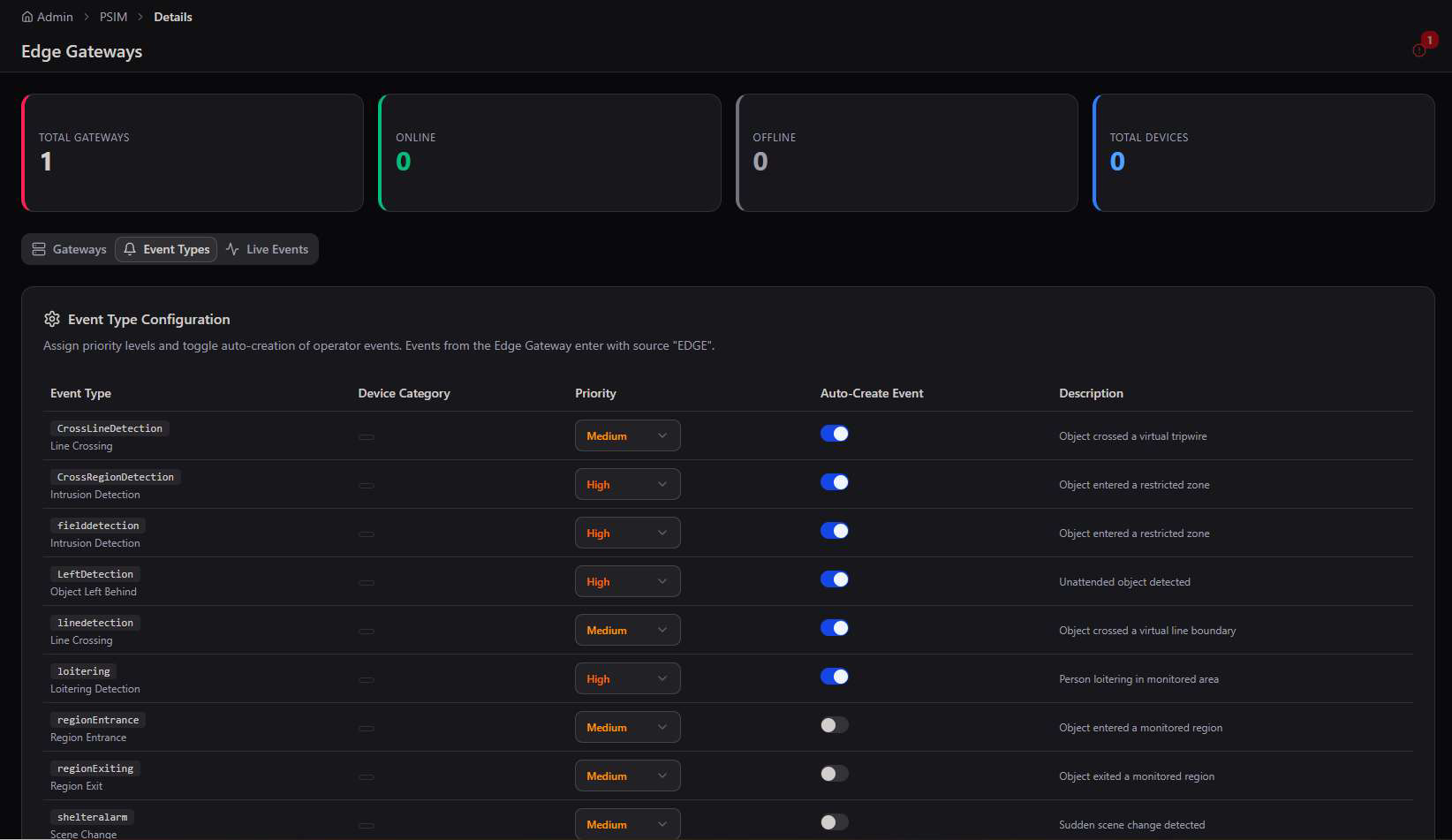
Access Control registers door controllers, card readers, turnstiles, and biometric terminals against a fixed target. Edge Gateways handle the AI-driven event types coming off on-premise video analytics — line crossing, intrusion, loitering — each independently prioritized and toggled for auto-creation.
| Module | Protocol / Standard | What it manages |
|---|---|---|
| Ajax Alarm | SIA DC-09 | Panel accounts, zone devices, event log, connections |
| CCTV Systems | ONVIF / RTSP | IP cameras, NVRs, DVRs, PTZ, live view |
| Hikvision / Dahua | ISAPI / CGI | Multi-vendor cameras, NVRs, and access control |
| Fiber Optic DAS | Acoustic sensing | Vibration zones along a perimeter fence line |
| Radar Systems | Microwave | Wide-area detection with PTZ camera linkage |
| Access Control | OSDP / Wiegand | Door controllers, card readers, turnstiles, biometrics |
| Edge Gateways | AI analytics | On-prem video AI event types and priorities |
PSIM Site Maps
Every device placed on a floor plan or live satellite map — click a marker to act on it directly, without leaving the map.
Site Maps gives every alarm panel, camera, and sensor a physical location, not just a name in a list. An operator can be looking at a triggered zone on a floor plan within a second of the alarm firing.
Floor plans
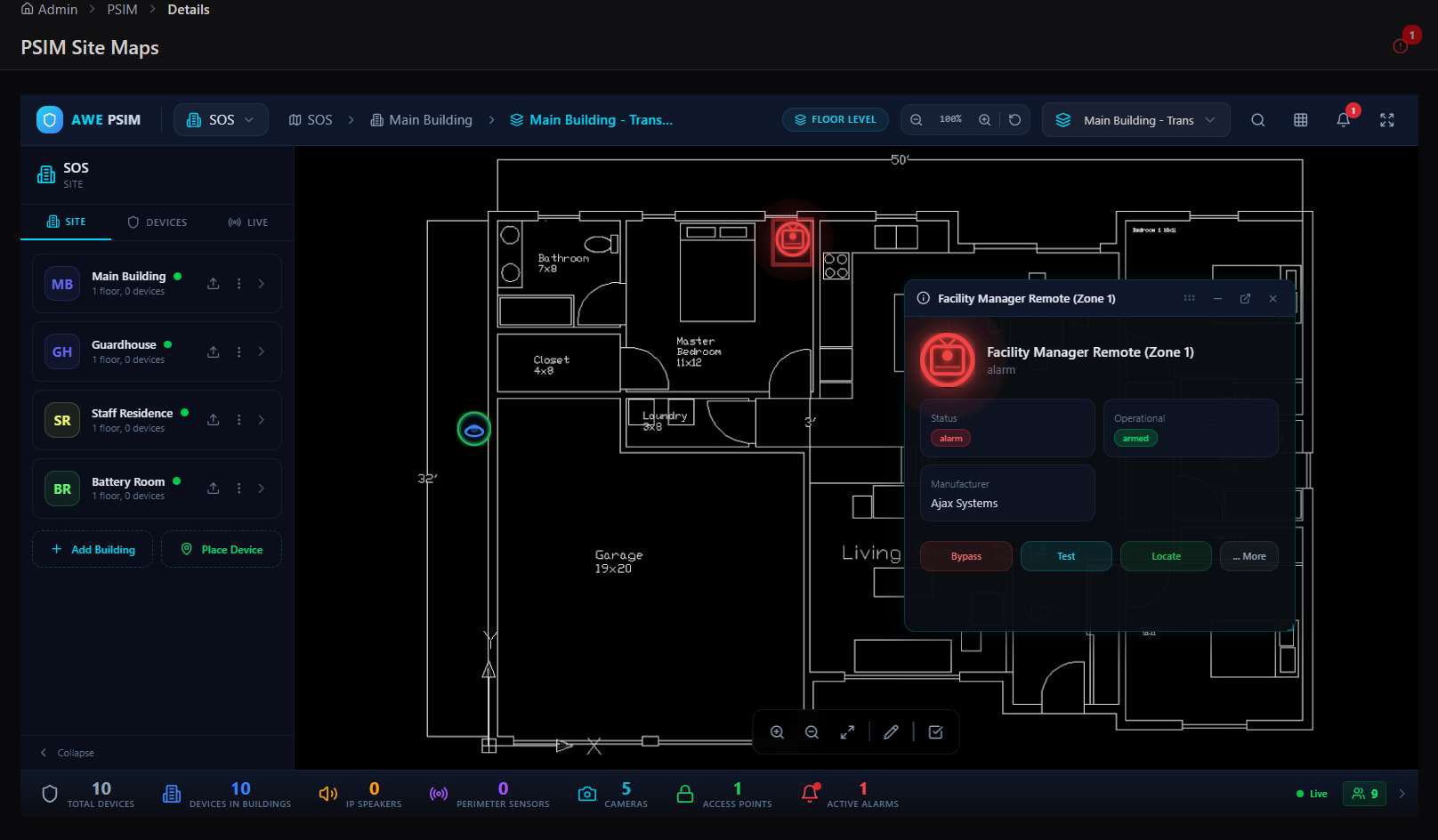
Indoor sites are drawn as scaled floor plans with devices placed room by room. Clicking a device — armed, alarm, or offline — opens its live status and quick actions inline.
Live Map & radial device control
Zooming out switches to a live satellite view of the whole site with every responder and building tracked in real time. Selecting a device on the map — like a CCTV camera — replaces standard controls with a radial action wheel for that specific device; the same map can also render as a tilted 3D scene for tactical planning.
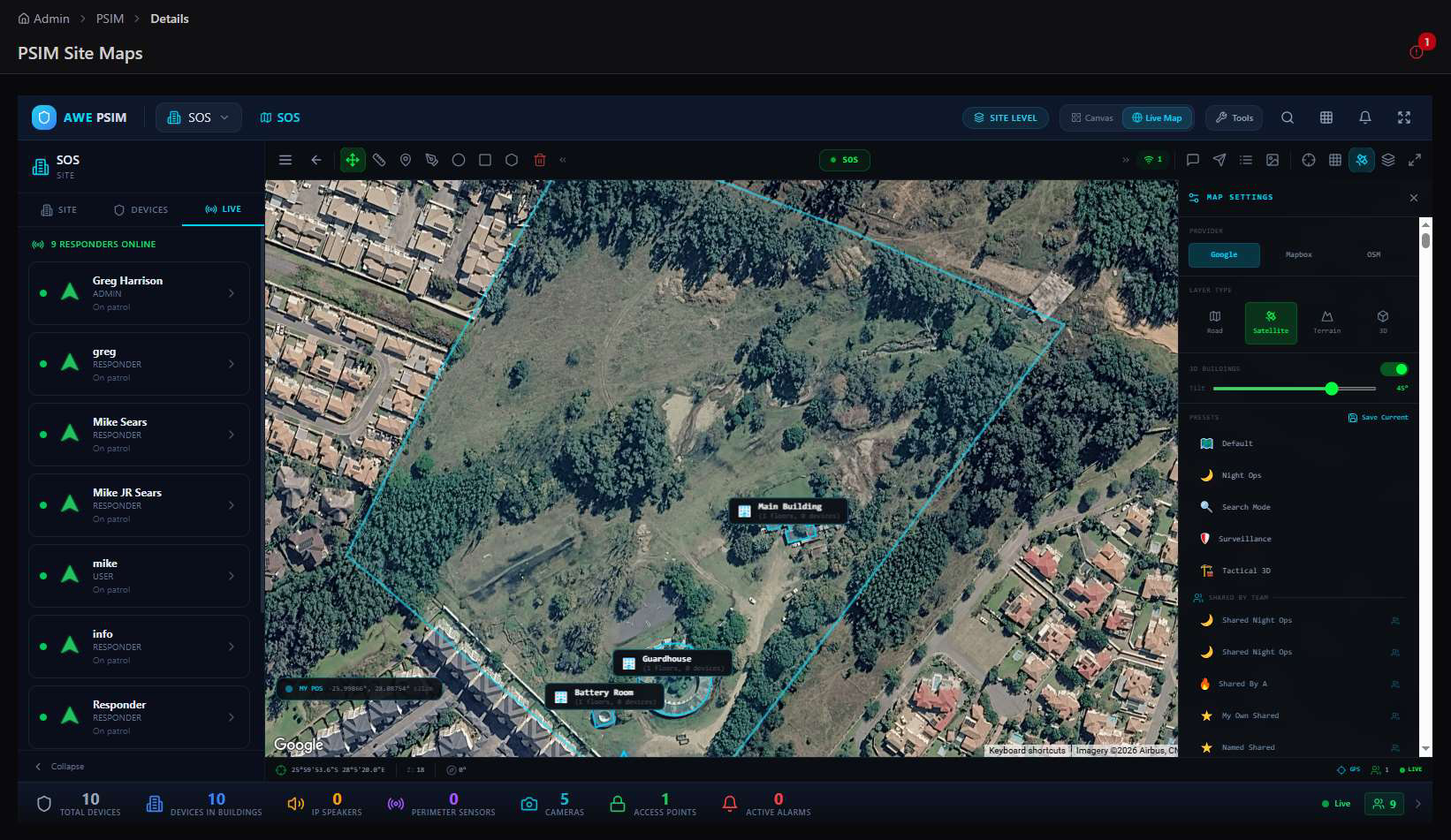
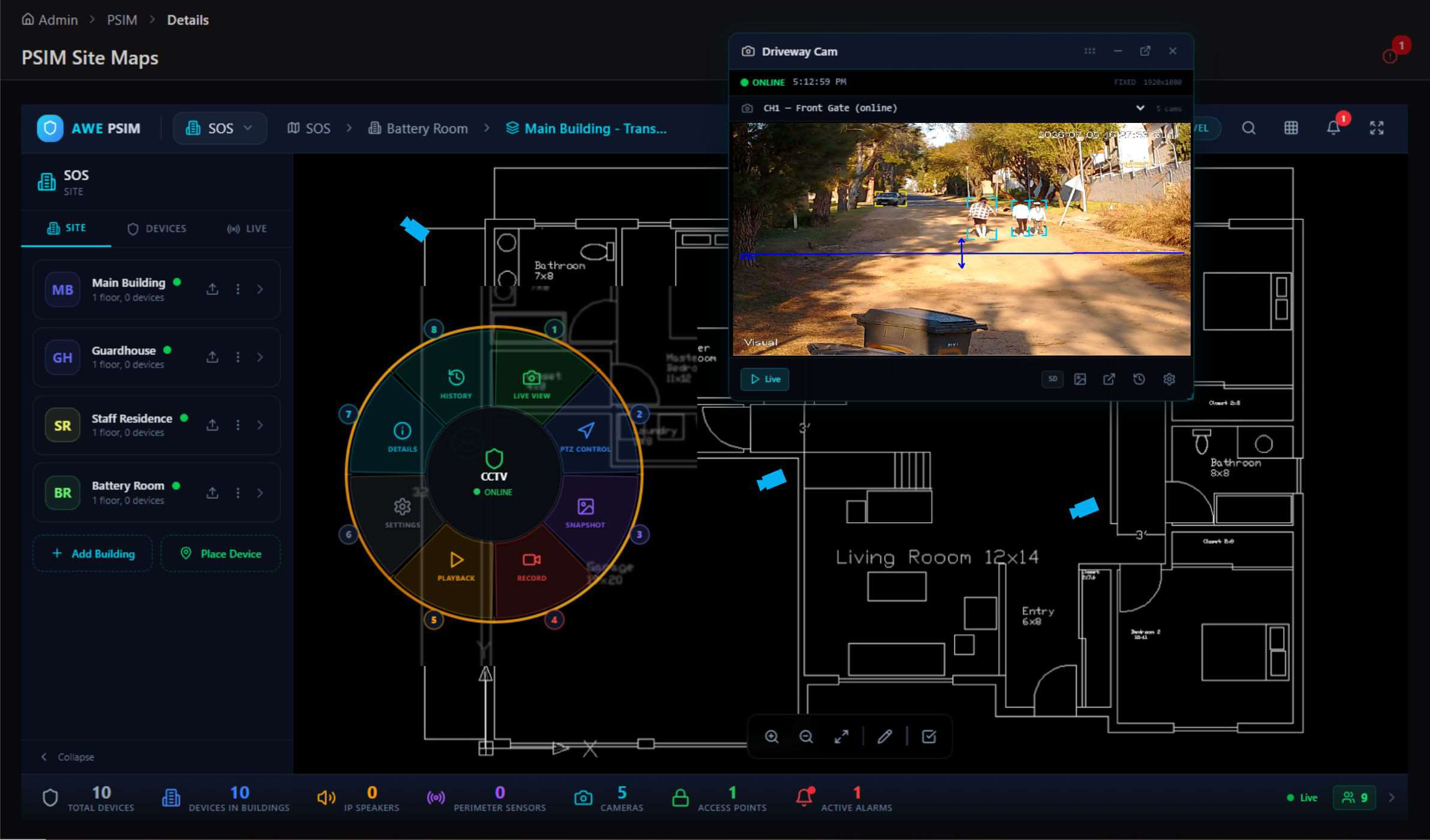
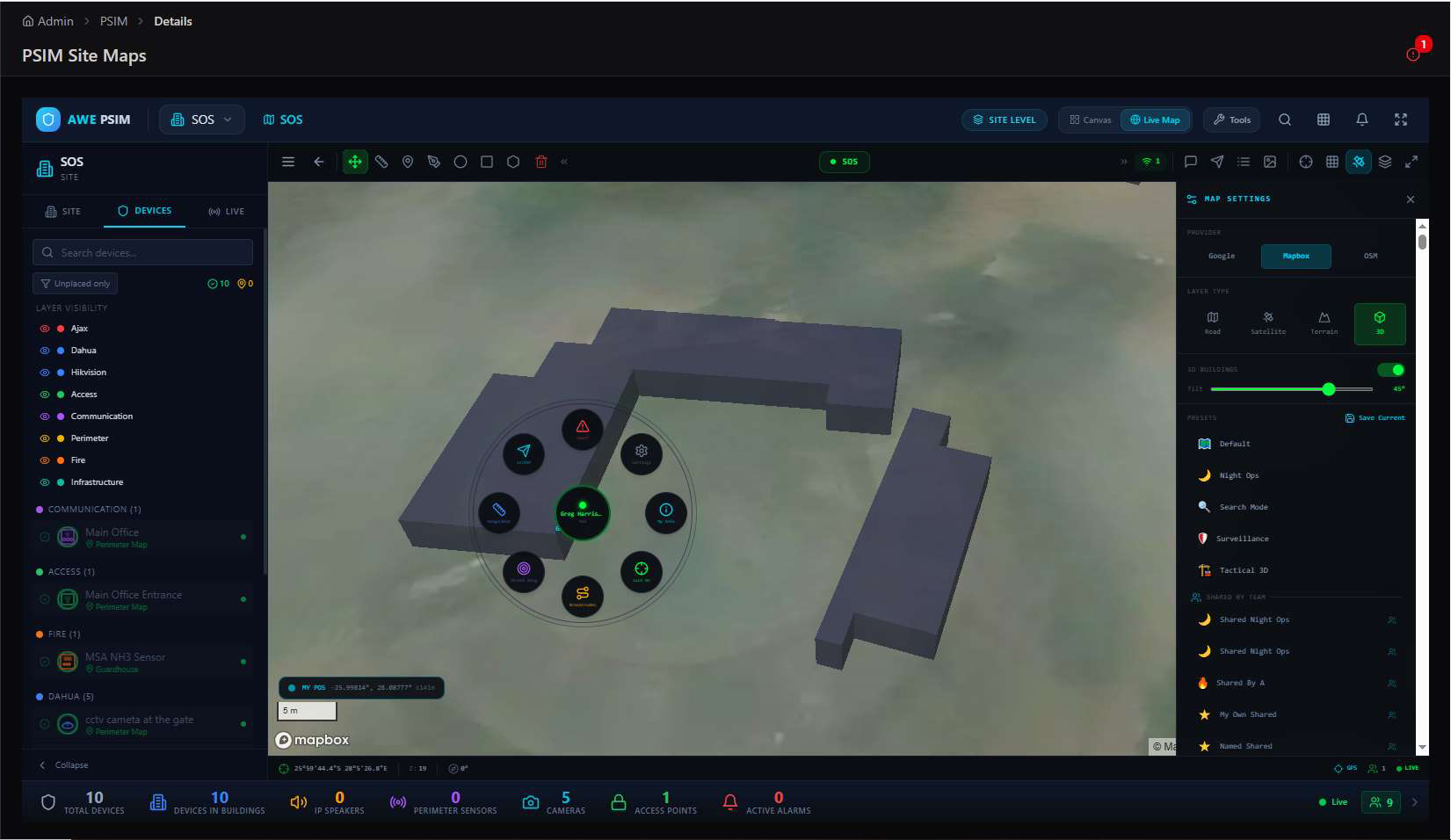
The map is an action surface, not just a picture. Bypass, Test, and Locate on a floor plan device, or Live View and PTZ Control on a camera marker, mean an operator resolves most routine checks without ever opening that device's full management screen.
PSIM and the rest of the platform
PSIM's alarms and camera feeds feed the same Event Processing pipeline covered in the Events Processing Admin Guide, and its device markers share the same map engine as the GeoSpatial and Maps modules — so a physical security alert and a field responder assignment can be viewed and acted on side by side.