Every account.
Every rand.
Fully accounted for.
Account Management is the commercial control center of the platform — customer accounts, subscription tiers, module pricing, bundles, billing cycles, and upgrade approvals, all editable from one place, whether hosted in the cloud or on your own infrastructure.
Account Management at a glance
Four tools covering the full commercial lifecycle: onboarding, pricing, billing, and growth.
Account Management sits alongside the operational modules but answers a different question — not "what happened in the field," but "who is using the platform, what are they paying, and what do they want next."
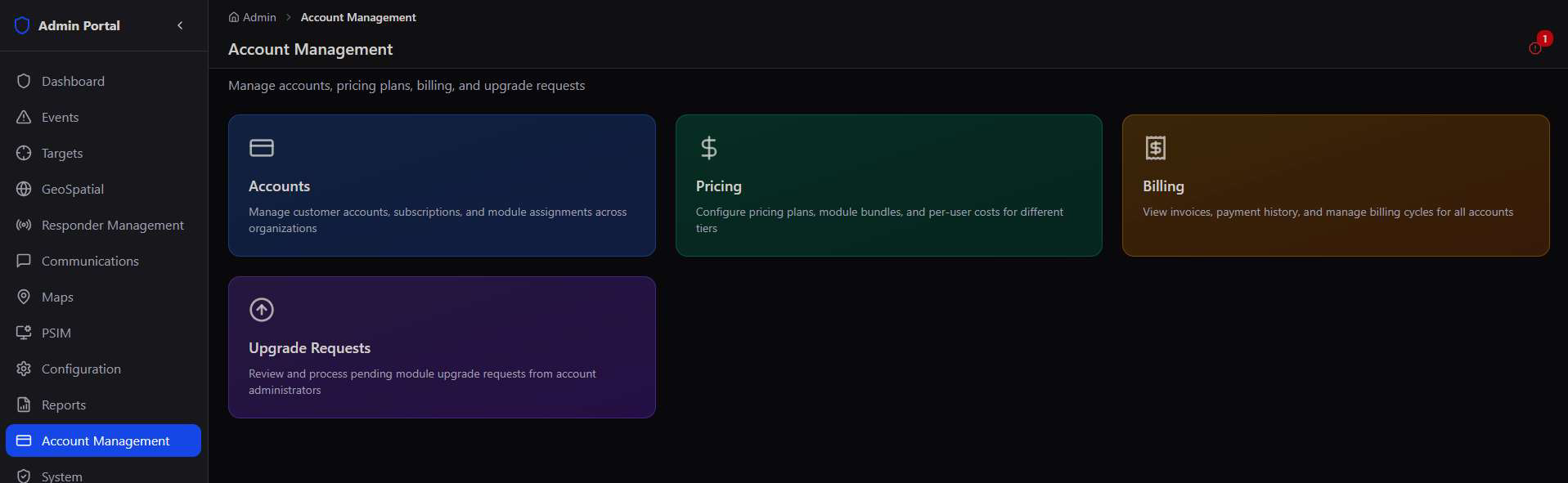
Built for a multi-tenant business. Every subscription plan, module, and bundle price shown throughout this guide is fully editable — the numbers here are illustrative defaults, not fixed platform limits.
Accounts
Every organisation on the platform, its subscription status, and its full commercial profile — searchable and filterable.
The Accounts list is the master record of every customer — 405 accounts and counting — with live totals for Active, Pending, Suspended, MRR, and Overdue at the top, and filters for Status, Vertical, and Tier.
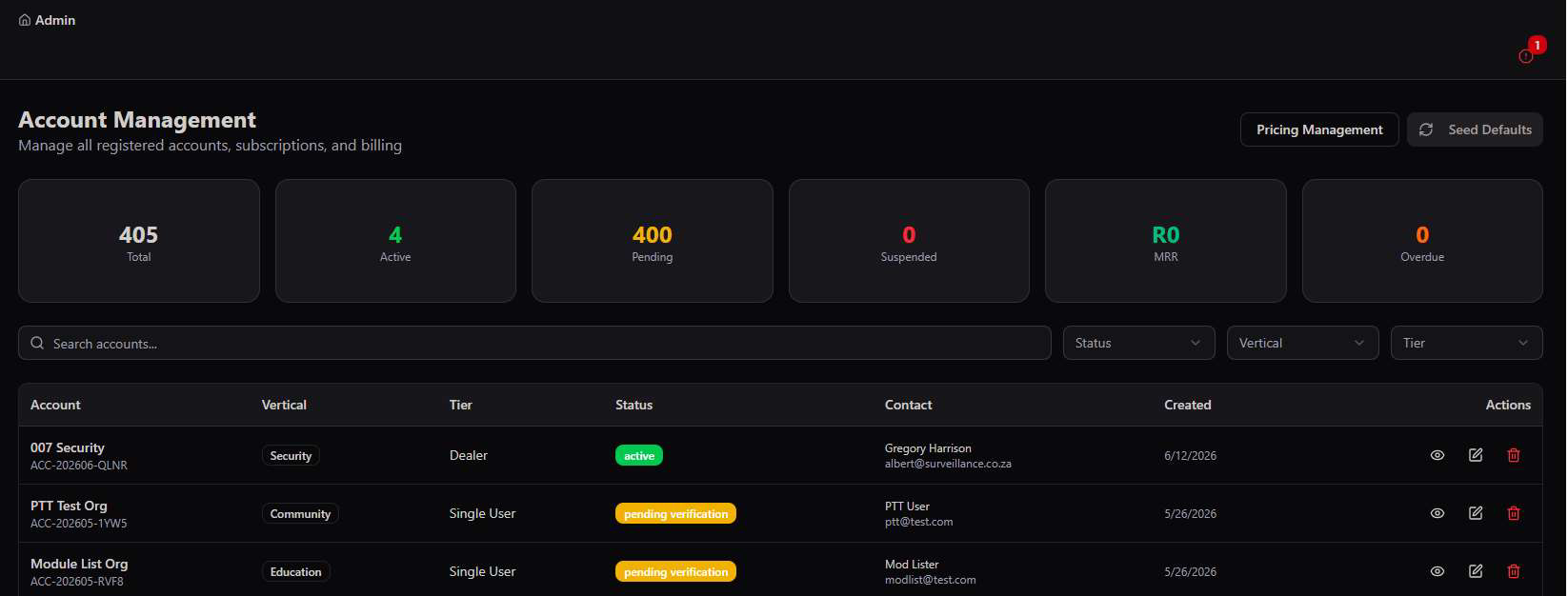
- Vertical — Private, Banking, Corporate, Retail, Education, Health, Insurance, Property, Residential, Community, or Security, tagging every account by industry.
- Tier — Single User, Dealer, or Dealer Pro, controlling module access and white-label rights.
- Status — Pending, Active, Suspended, Expired, or Rejected — the full account lifecycle at a glance.
Every account, drilled all the way down
Opening an account reveals Organisation, Contact, and Usage at a glance, plus tabs for Overview, Subscription, Modules & PTT, Billing, and Settings — and an Expiry Control to set or clear a hard cutoff date.
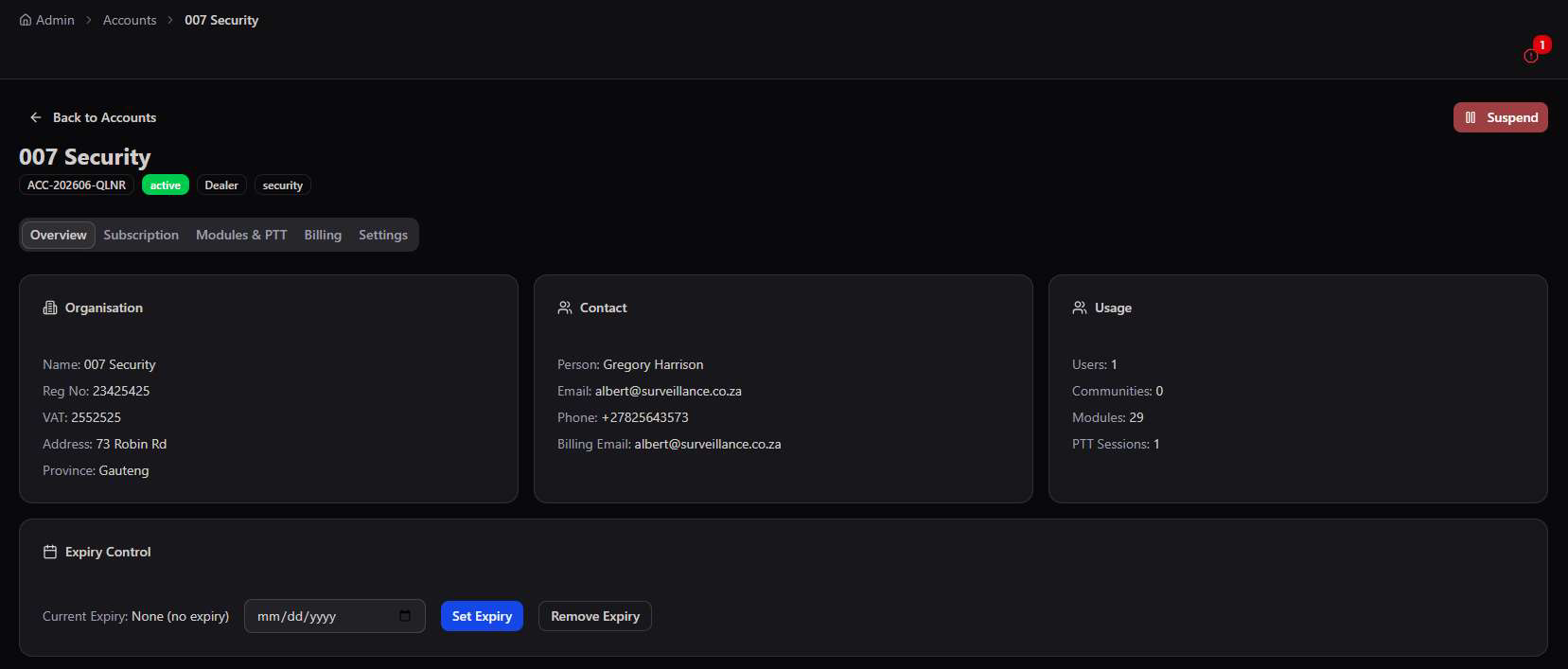
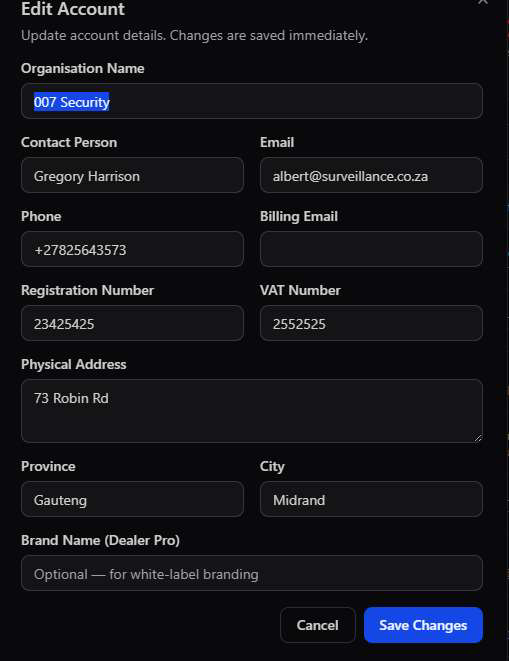
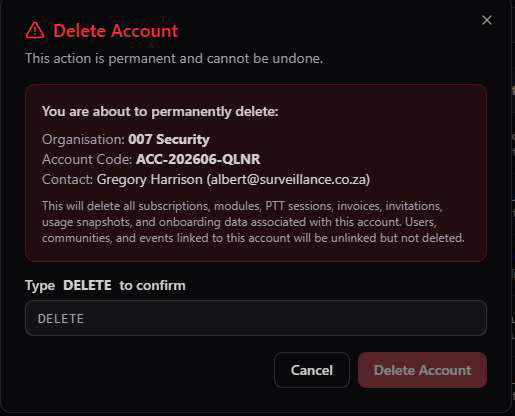
Deletion is deliberate, not destructive. Deleting an account permanently removes its subscriptions, modules, PTT sessions, invoices, and onboarding data — but users, communities, and events linked to it are unlinked, never deleted, protecting operational history.
Subscription Plans
Five tiers, from a single-user starter to a full enterprise deployment, each with fully configurable included quantities and overage rates.
Pricing Management opens on Plans — every subscription tier's base fee, included quantities, and per-unit overage rates, editable in one modal without touching code.
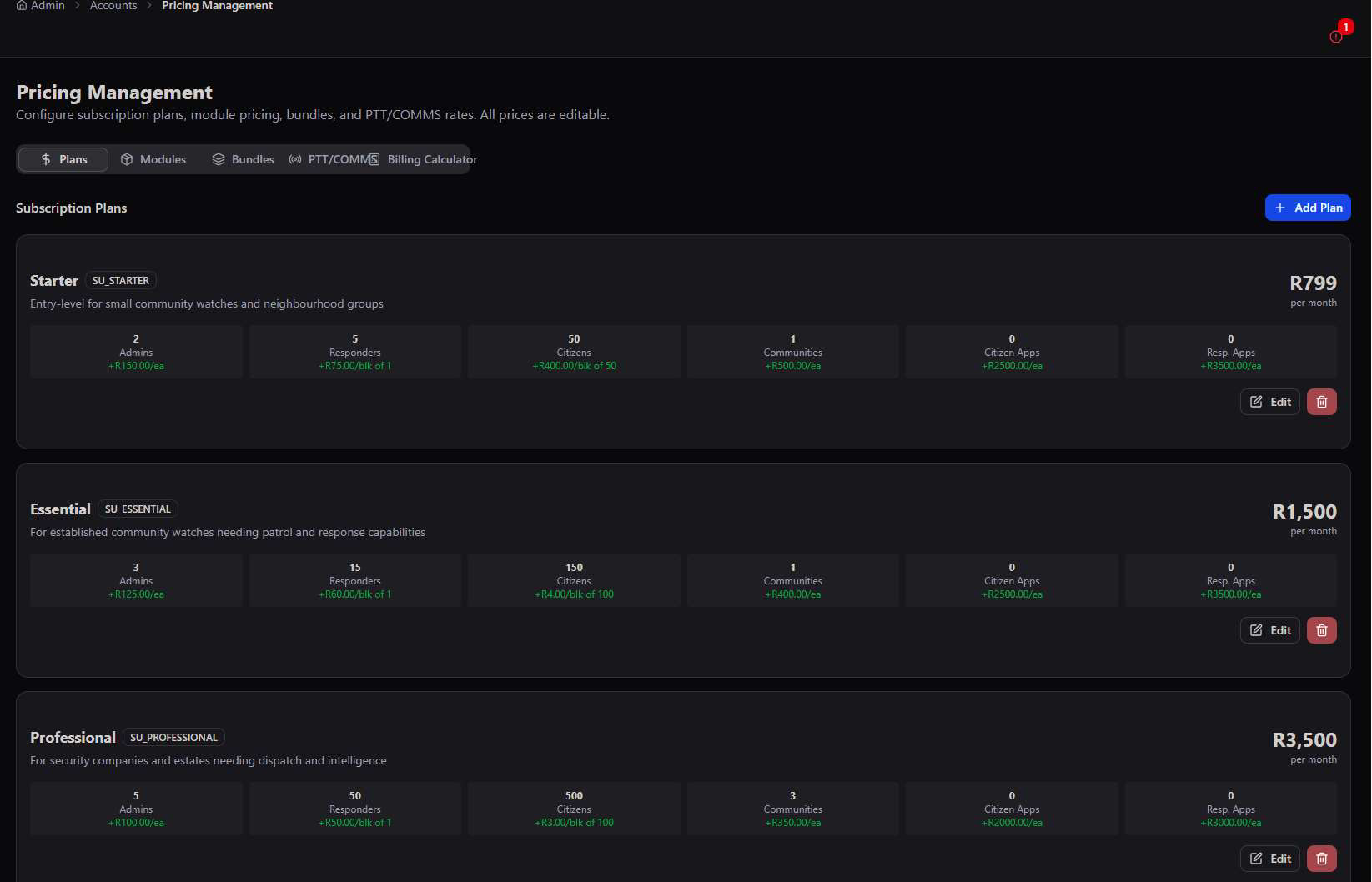
Every field is editable
Edit Plan opens the complete pricing model for any tier: base monthly fee, overage cost per extra Admin/Responder/Citizen/Community, per-app pricing, included quantities, and hard limits — with a live Customer Preview rendering exactly what the client sees before saving.
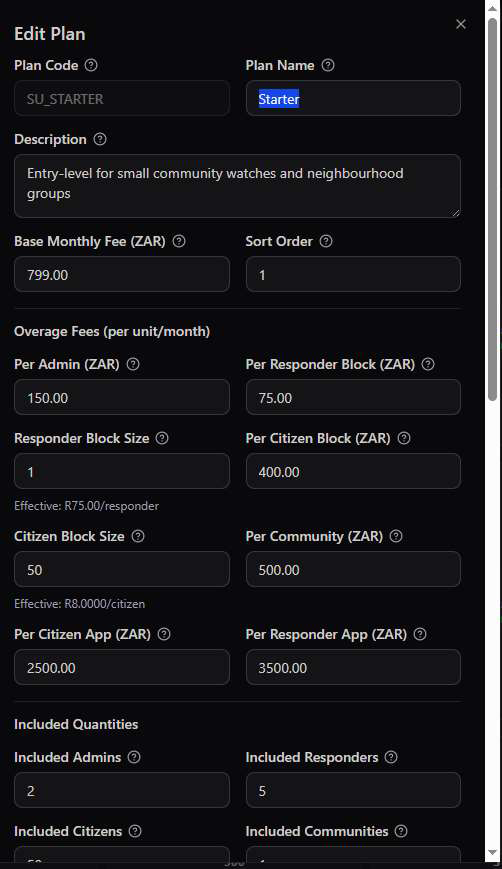
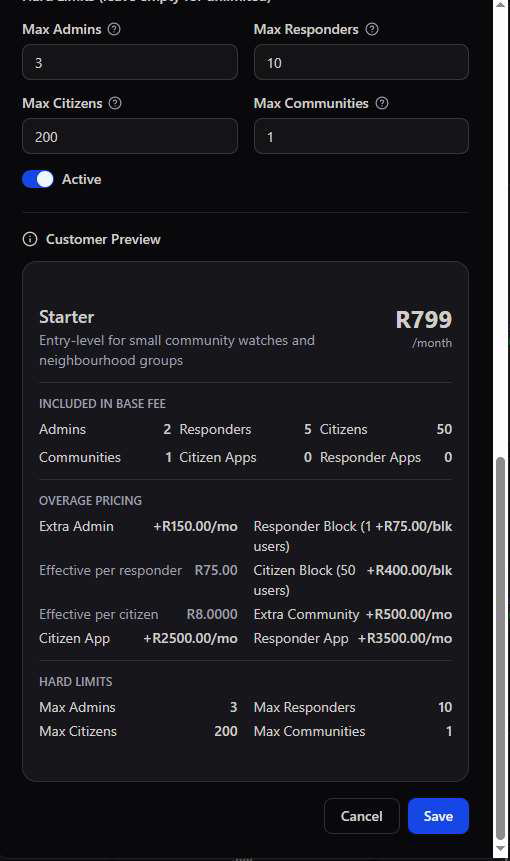
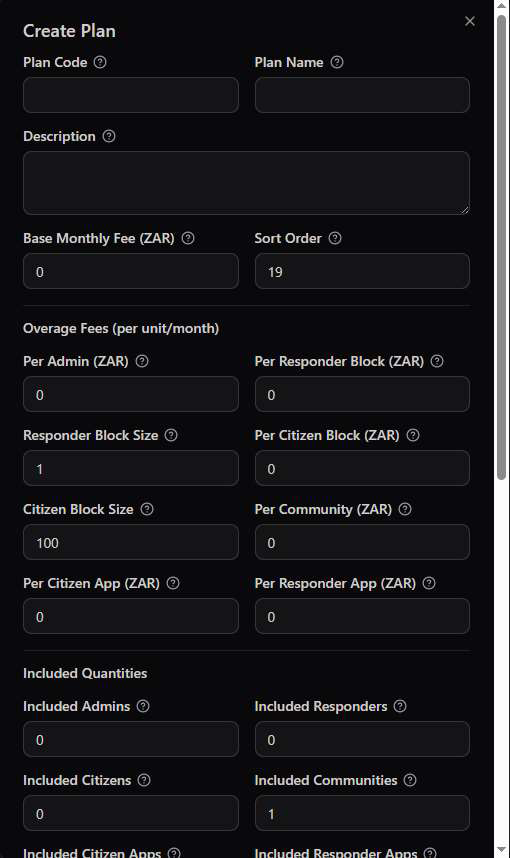
Overage, not overspend. Every plan includes a baseline (e.g. Starter includes 2 Admins, 5 Responders, 50 Citizens) — growth beyond that is billed automatically at the configured per-unit rate rather than forcing an account onto the next tier.
Module Pricing
Every individually-purchasable module on the platform, priced, categorised, and dependency-aware.
Beyond the base subscription tier, every specialised capability on the platform — from Virtual Guardian to FaceMap Intel — is individually priced and can be added to any account à la carte or as part of a discounted bundle.
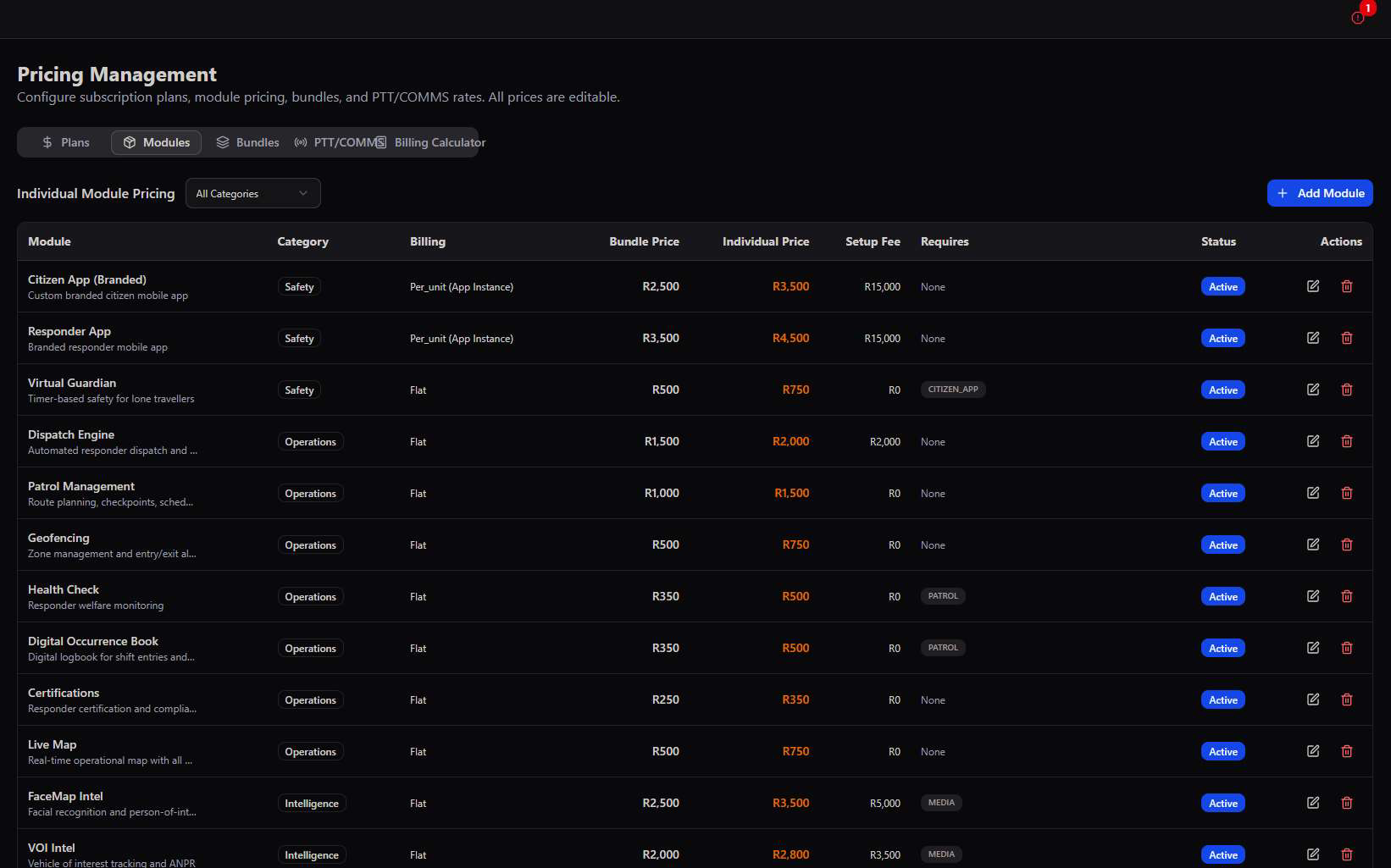
- Bundle Price vs. Individual Price — every module has a discounted price when purchased as part of a bundle, and a higher standalone price when added alone.
- Requires — some modules have dependencies (e.g. Virtual Guardian requires the Citizen App, Health Check and Digital OB require Patrol Management) enforced automatically at activation.
- Requires Account Tier — a module can be restricted to accounts on a specific subscription tier or above.
- Billing Type — Flat Rate for most modules, or Per-Unit (App Instance) for Citizen App and Responder App, billed per branded instance.
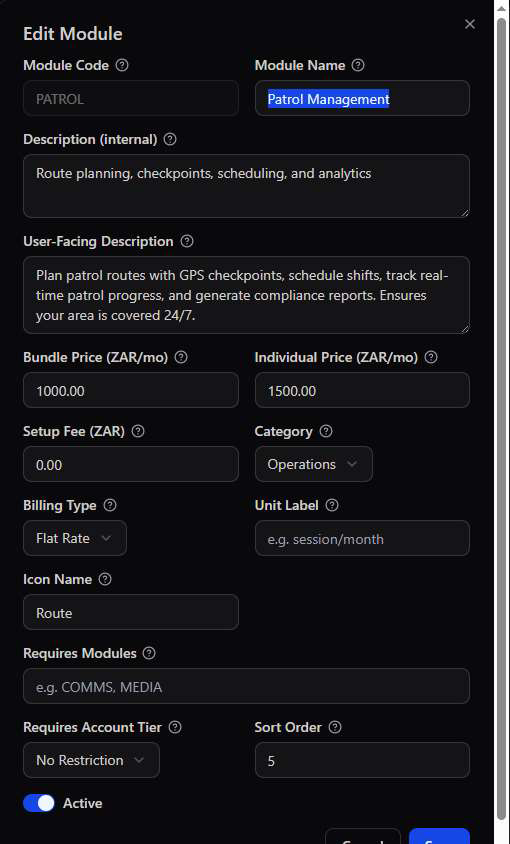
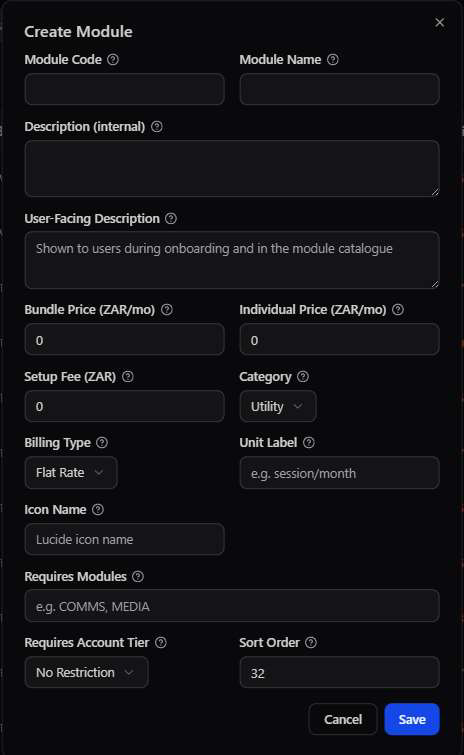
The catalogue grows with the platform. As new specialised modules are developed — a new integration, a new intelligence feed, a new field tool — they're added here once and immediately become available to price, bundle, and assign to any account.
Bundles
Interdependent modules grouped at a discounted rate — up to 35% off buying the same modules individually.
Bundles package modules that naturally belong together into a single discounted line item, while still letting a client buy any of those modules individually at the higher standalone price if a bundle doesn't fit their needs.
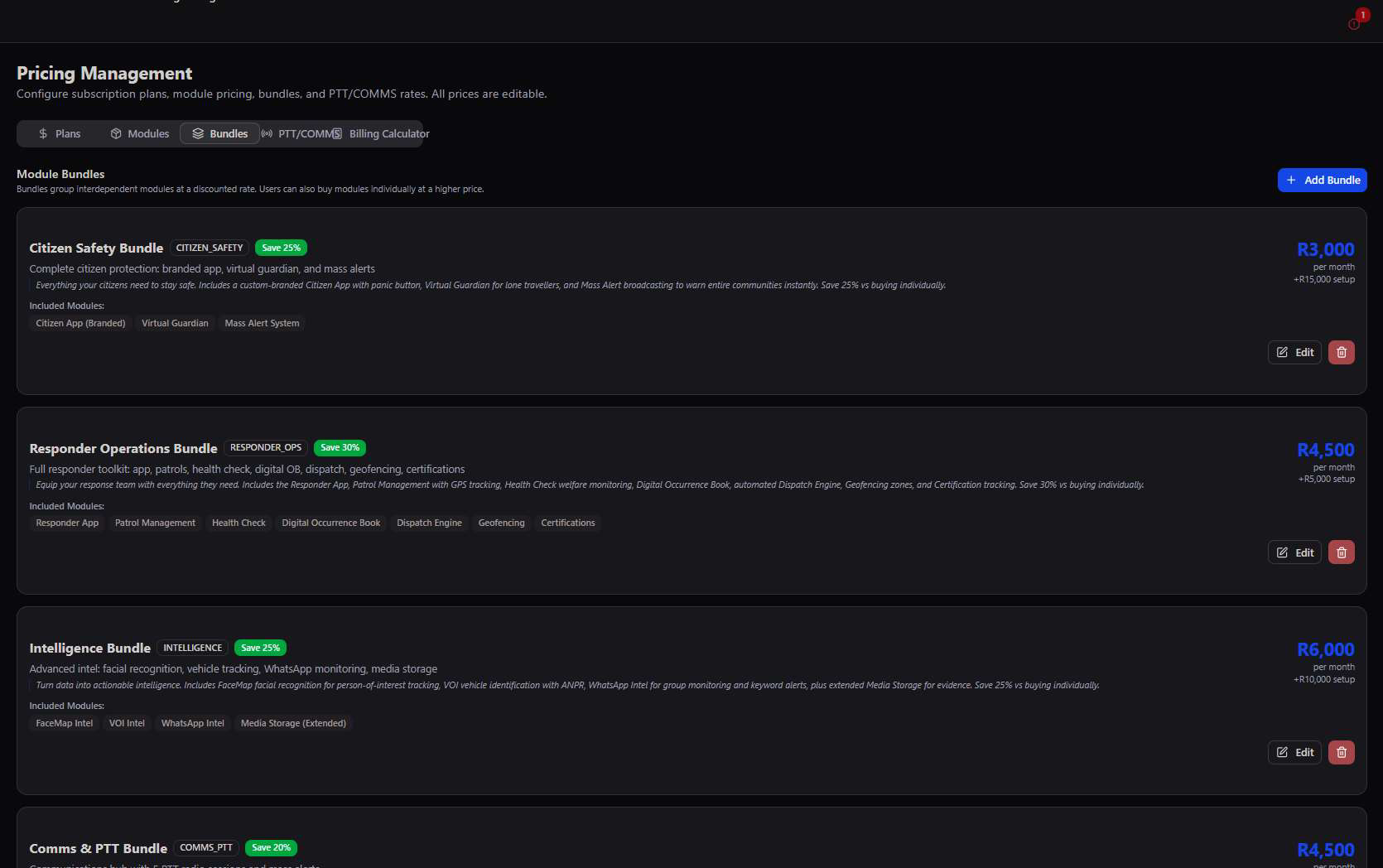
| Bundle | Price | Savings | Includes |
|---|---|---|---|
| Citizen Safety Bundle | R3,000/mo | Save 25% | Citizen App, Virtual Guardian, Mass Alert System |
| Responder Operations Bundle | R4,500/mo | Save 30% | Responder App, Patrol Management, Health Check, Digital OB, Dispatch Engine, Geofencing, Certifications |
| Intelligence Bundle | R6,000/mo | Save 25% | FaceMap Intel, VOI Intel, WhatsApp Intel, Media Storage (Extended) |
| Comms & PTT Bundle | R4,500/mo | Save 20% | Communications Hub with 5 PTT radio sessions and mass alerts |
| Tactical Bundle | R5,500/mo | Save 30% | Special Operations and Tactical Teams modules |
| Infrastructure Bundle | R8,000/mo | Save 30% | PSIM Devices, Smart Poles, and ResQRelay |
| Government Bundle | R12,500/mo | Save 35% | Municipal Integration, White-Label Platform, and Advanced Reports |
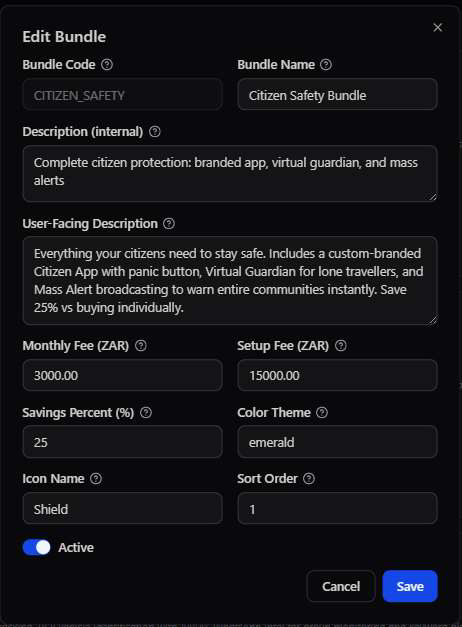
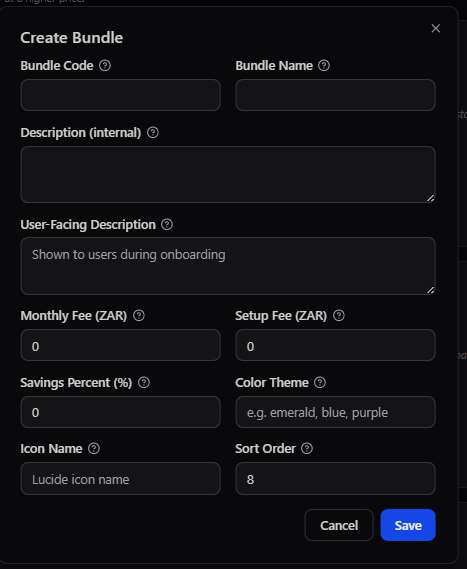
Buy together, save together. The Responder Operations Bundle alone saves 30% versus purchasing Patrol Management, Health Check, Digital OB, Dispatch Engine, Geofencing, and Certifications individually — the standard upsell path for any account already on the Responder App.
PTT / COMMS Pricing
Two separate billing tracks for the platform's push-to-talk and WhatsApp communications hub.
PTT/COMMS pricing is split into two independent tracks because they serve different purposes: WhatsApp Sessions power the backend intelligence hub, while PTT In-App is the push-to-talk radio button inside the mobile and admin apps.
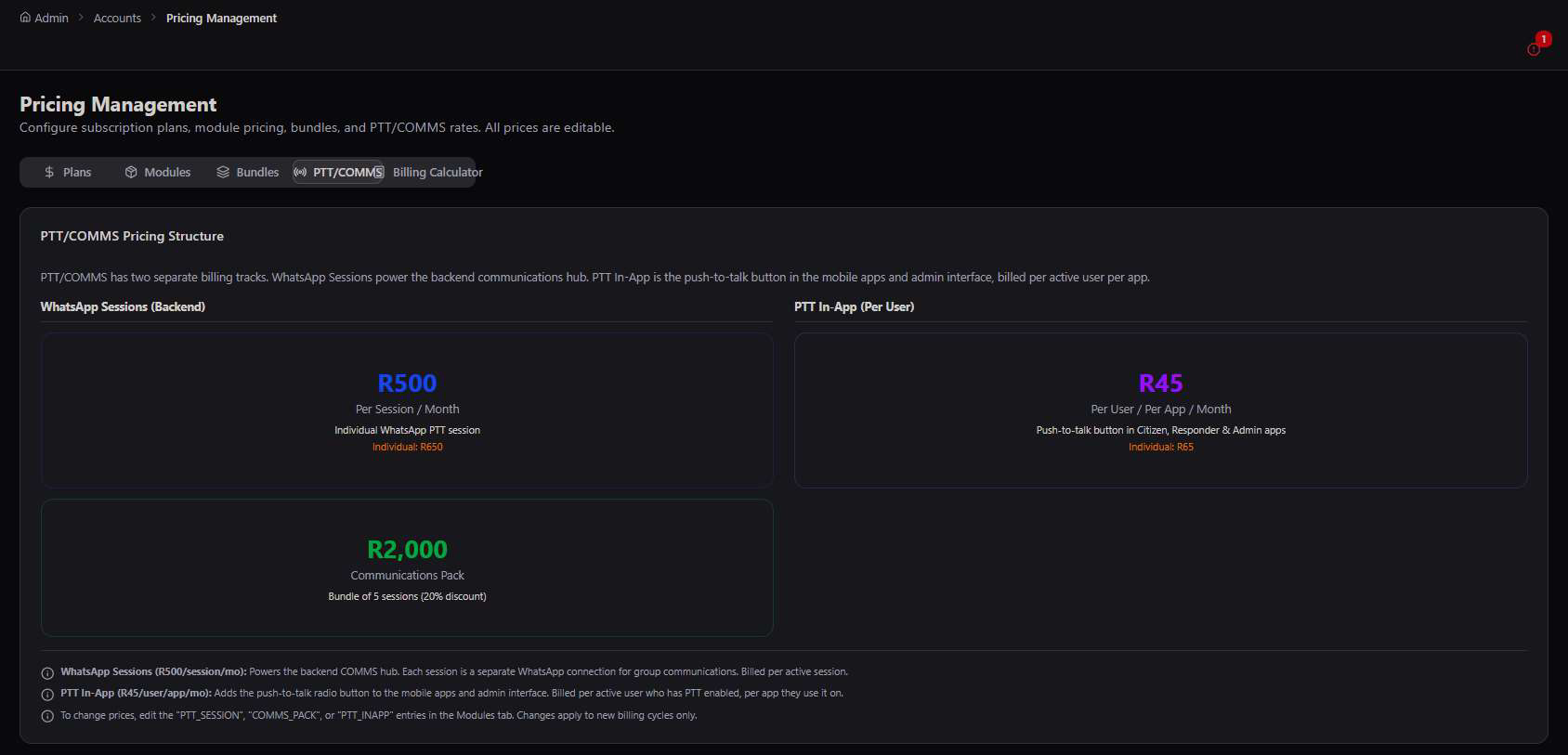
| Item | Rate | What it covers |
|---|---|---|
| WhatsApp Session | R500/session/mo | One backend WhatsApp connection powering the COMMS hub and group monitoring |
| Communications Pack | R2,000/mo | Bundle of 5 WhatsApp sessions at a 20% discount |
| PTT In-App | R45/user/app/mo | The push-to-talk radio button inside Citizen, Responder, and Admin apps, billed per active user per app |
Billed separately for a reason. A single WhatsApp session can serve an entire community's group monitoring, while PTT In-App scales per individual user — keeping the pricing model fair whether an account is small with heavy WhatsApp intel needs, or large with many active field radios.
Billing Calculator
Model any hypothetical account size against every plan before a client signs — and export the estimate.
The Billing Calculator answers the question every sales conversation starts with: "what would this cost us?" Enter an account's expected Admins, Responders, Citizens, Communities, and any add-on modules, and see the projected monthly cost across all five plans side by side.
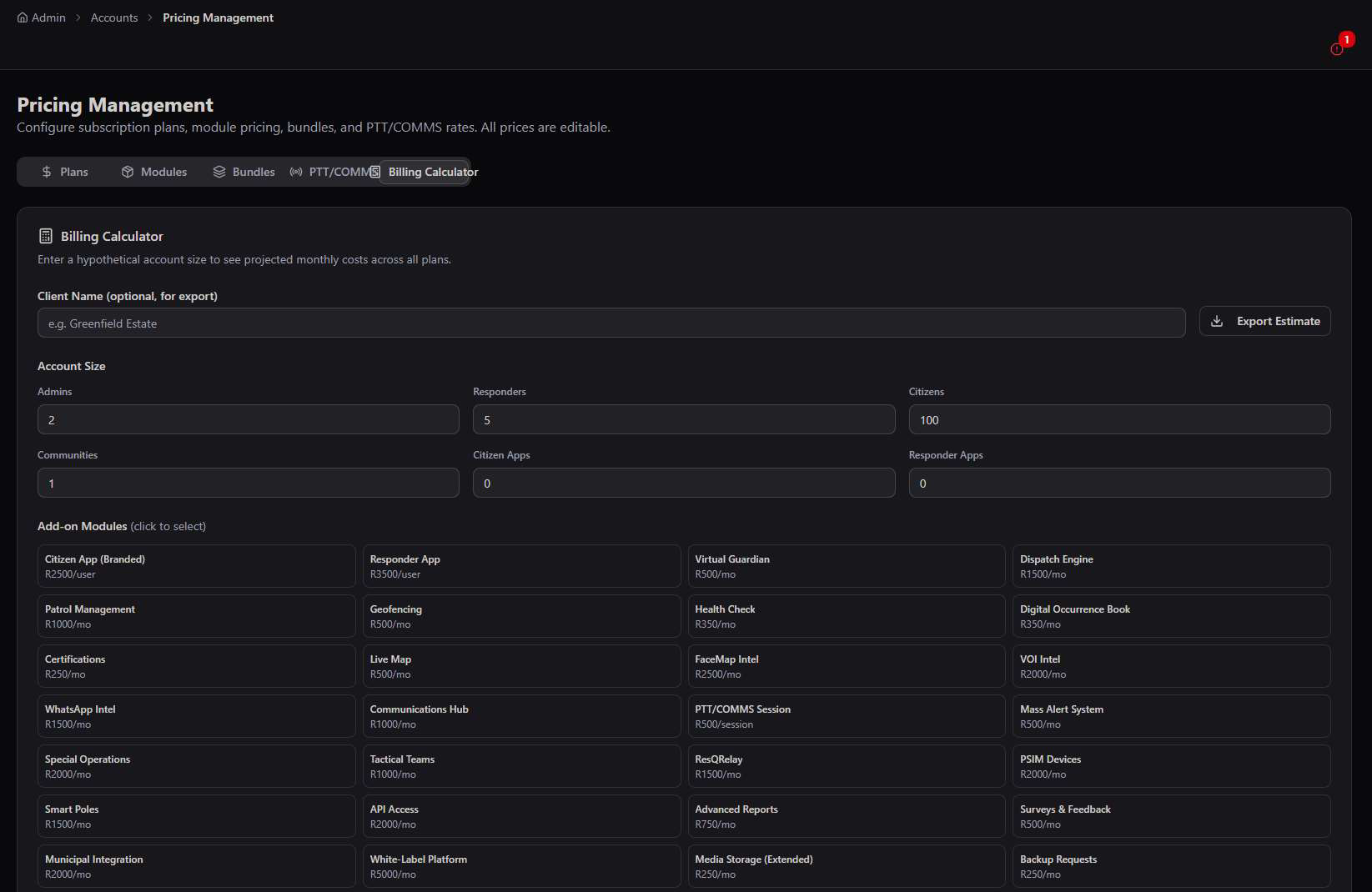
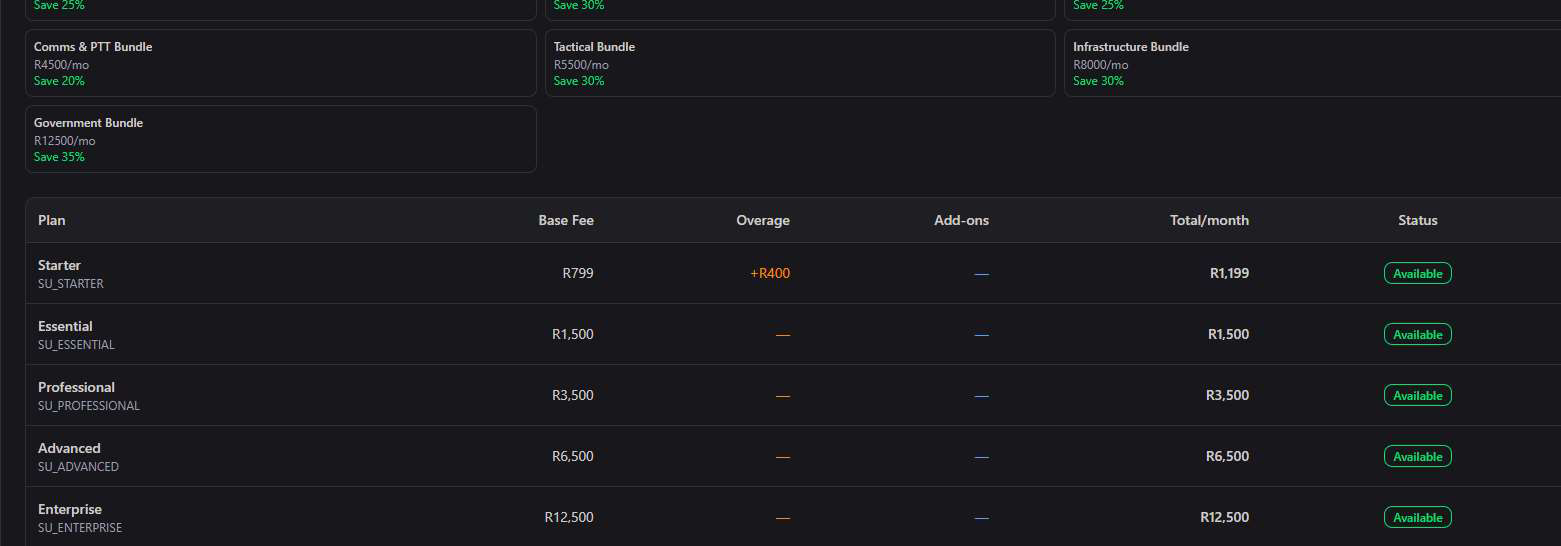
- Client Name field — label the estimate for a specific prospect before exporting.
- Export Estimate — generate a shareable document for the sales or account team, no manual spreadsheet needed.
- Click-to-select add-ons — toggle any of the 25+ priced modules on or off and watch the total recalculate instantly across all five tiers.
Sales tool first, admin tool second. Use this before onboarding a new account to find the plan that fits — and to show a prospective client exactly where the overage threshold sits before they commit to a tier.
Billing & Invoices
Generate, track, and manage every invoice across every active account, in one monthly run.
Billing tracks the full invoice lifecycle — Total, Paid, Overdue, Pending, and Revenue — with search by invoice number, status filtering, and a one-click Generate Invoices action for the entire customer base.
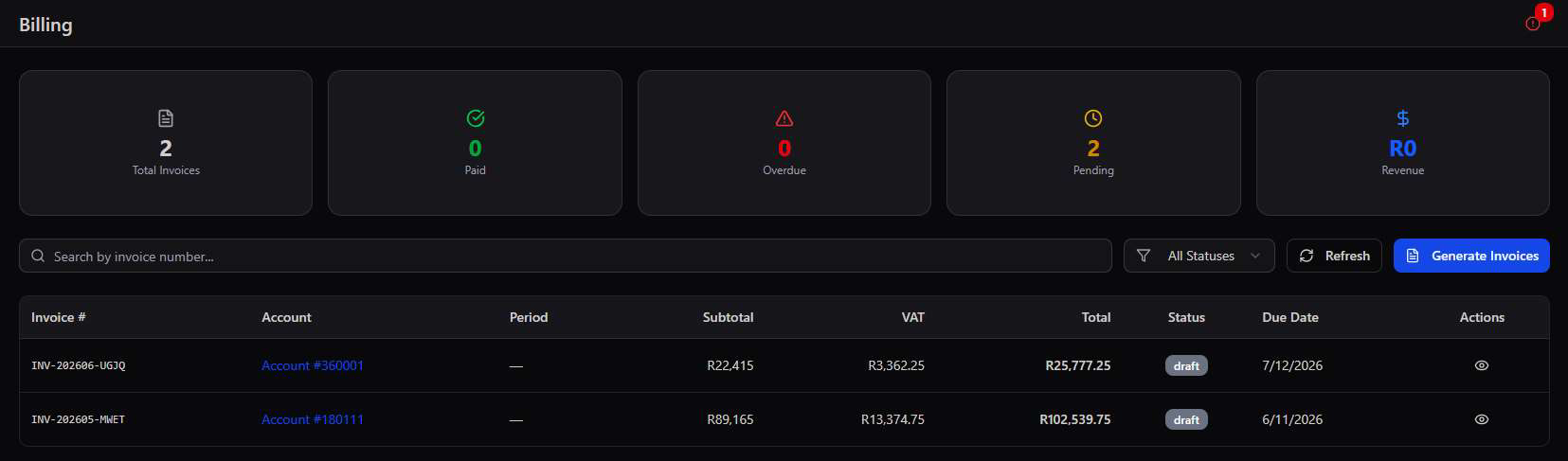
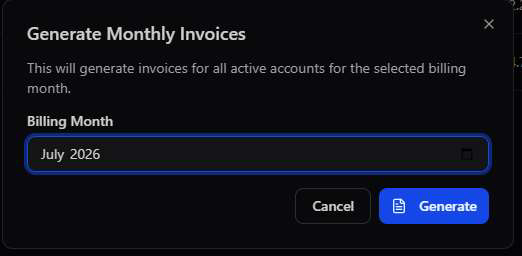
One button, every account. Generate Invoices runs the entire customer base's billing for the selected month in a single action — subtotal, VAT, and total are calculated automatically from each account's plan, overage, and active modules.
Upgrade Requests
When an account administrator wants more, they ask here — and an approval activates it immediately.
Upgrade Requests is the inbound growth channel: account admins request additional modules directly from their own dashboard, and this queue is where those requests get approved, denied, or held pending a sales conversation.
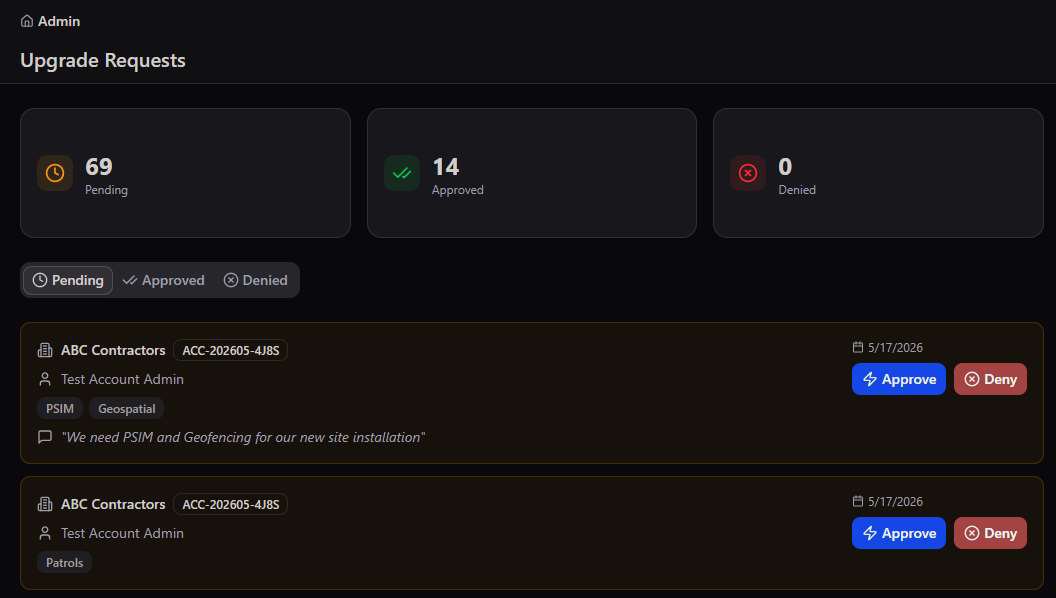
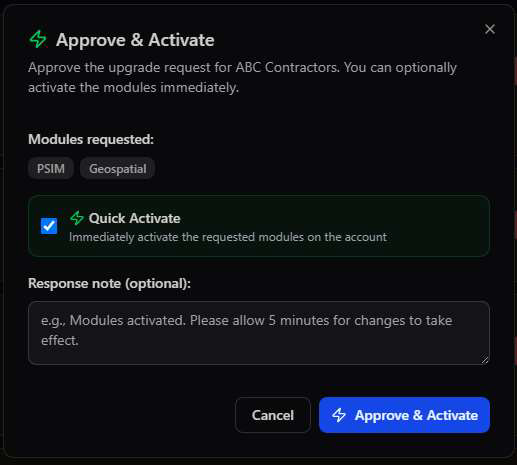
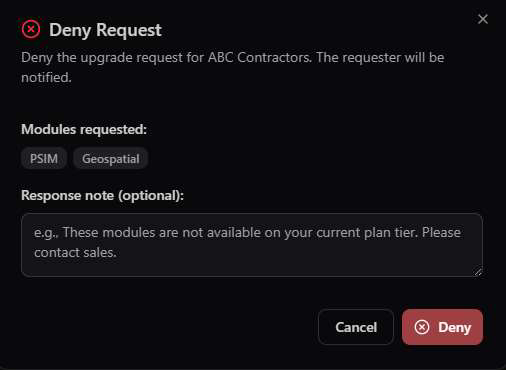
Self-serve growth, admin-gated activation. Account admins can request anything from the module catalogue at any time — but nothing activates, and nothing bills, until an Account Management admin approves it here.
Deployment & Licensing Options
However an organisation needs to run the platform — in the cloud, on their own servers, or owned outright — Account Management supports the commercial model behind it.
The accounts, plans, and billing tools in this guide apply to any of three ways an organisation can bring the platform in-house. The right fit depends on how much control, sovereignty, and ongoing vendor relationship the client wants.
- Fastest time to deployment
- No infrastructure to manage or maintain
- Ongoing subscription billed via Account Management
- Full data sovereignty and exclusivity
- Meets strict regulatory or government requirements
- Client's IT team manages the hosting environment
- One-time licensing model, not recurring subscription
- Pairs naturally with self-hosted deployment
- Contact our team to enquire about terms
Not sure which fits? Cloud-Hosted suits most accounts managed directly through this module's subscription plans. Clients needing data sovereignty, regulatory compliance, or full infrastructure control should ask about Self-Hosted deployment — and any organisation preferring to own the platform outright rather than subscribe should enquire about a Perpetual License. Chat to our team to scope the right model.